This dialog displays the pipe dimensions available for the current system class. Here you can remove dimensions, adjust them, and create new ones. The dimensions specified here can be used for the system pipes in the pipe routes.
You are here
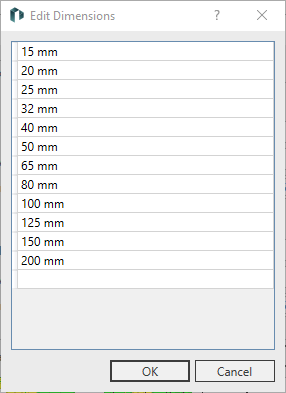
Dimensions Table
Displays the dimensions available for the pipes in the pipe route. Select a dimension by clicking on it to edit or delete it. Click in an empty field to add a new dimension.