You are here:
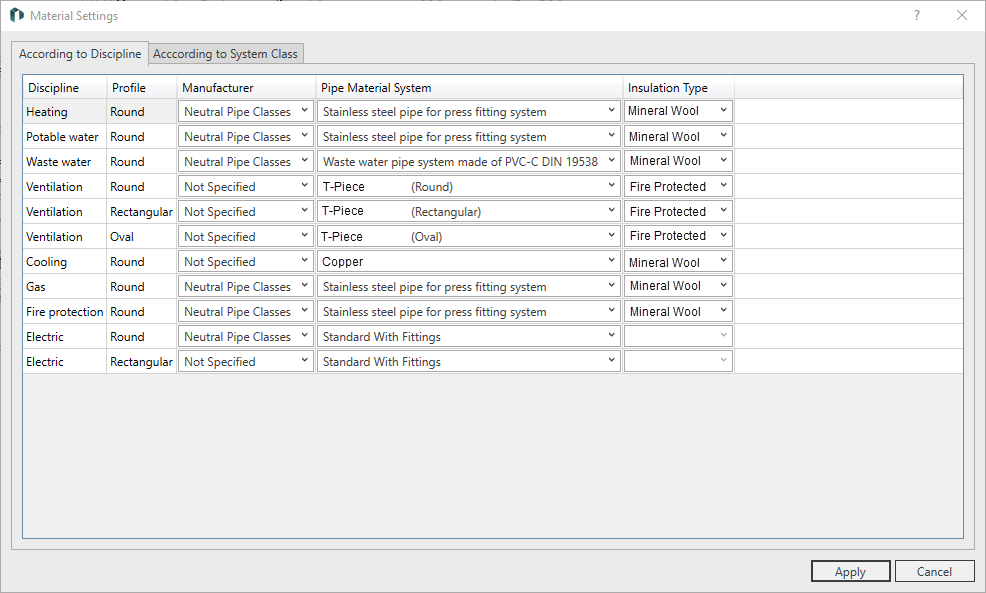
By Discipline
Disciplines are listed in this table in combination with the available profiles. The material can be set for each combination of discipline and profile. When a pipe route is generated, the corresponding materials are used.
|
Column |
Description |
|---|---|
|
Manufacturer |
Drop-down list for selecting the manufacturer. The data sets of all installed manufacturers are available for selection here. |
|
Pipe System |
Drop-down list for selecting the manufacturer pipe system. The pipe systems of the selected manufacturer are available for selection here. |
|
Insulation Type |
Drop-down list for selecting the available insulation type. |
According to System class
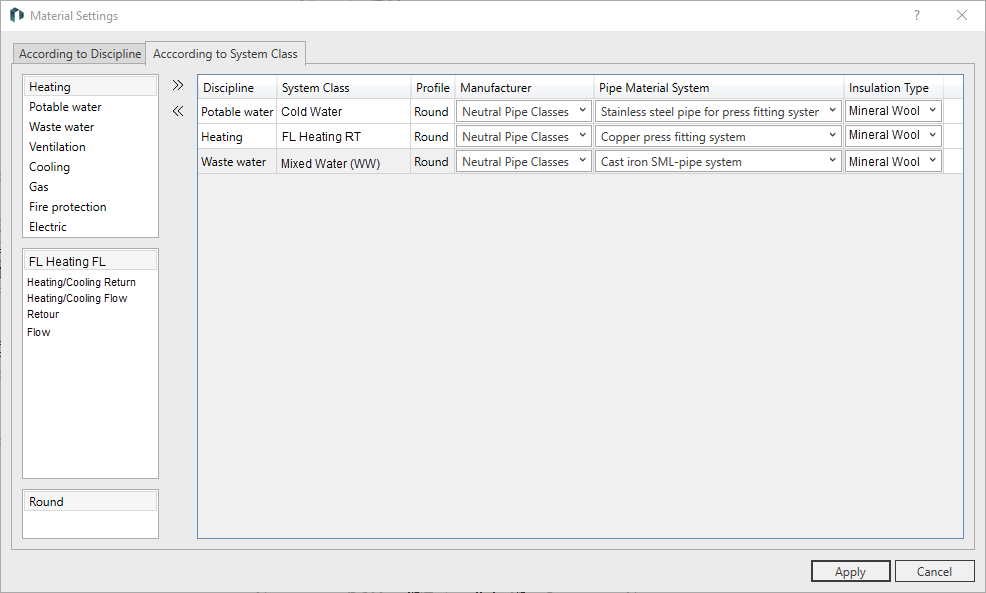
On this tab, you can combine disciplines, system classes, and profiles. The material can be set for each of these combinations. With this type of material assignment you can work more in detail, because within each discipline different materials can be set for different system classes.
First select discipline, system class and profile in the left column. Click  to add the combination to the table, where you can specify the material as described. Click
  to remove the selected combination from the table.
When creating a pipe route, conflicts with settings on the tab By Discipline are resolved by prioritizing the settings on the tab By System Classes.