The Cross-Sections dialog forms the starting point for the management and creation of pipe route cross-sections.
You are here:
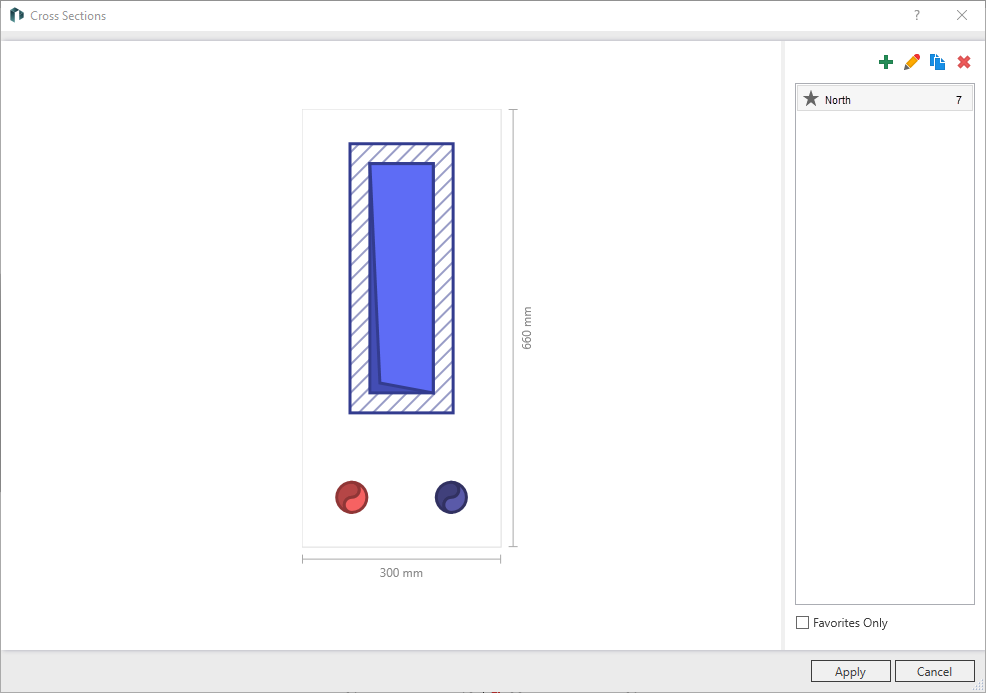
Diagram
Displays the configuration of the currently selected pipe cross section.
Cross-Sections
|
Symbol |
Description |
|---|---|
|
Opens the Cross-Section dialog where you can create a new cross section. |
|
|
Opens the Cross-Section dialog where you can create a new cross section. |
|
Duplicates the selected cross-section. |
|
|
Deletes the selected cross-section. |
|
|
Click the star to mark a cross-section as a favorite. |


Favorites Only - activated: Lists only those cross sections that have been marked as favorites.
Depending on the selection of Favorites Only, you will only find the cross sections marked as favorites or all available cross sections in the list. Clicking the star in front of the cross section name marks it or deletes it as a favorite. The number behind the name refers to the number of pipe route segments to which this cross-section has been assigned.