In this dialog, select the room parameters you want to import from a connected CAD program. You can also specify whether these parameters are added directly to a Property Set.
You are here
Module Overview ➤ Room Data Sheet ➤  Property Sets (Toolbar) ➤
  Import Parameters
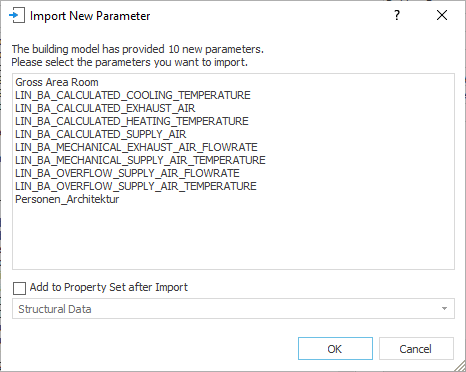
Parameter List
Lists all space parameters of the building model from the connected CAD program that are not available in the current LINEAR Building project and allows you to select the parameters to be imported.
Add to Property Set after Import
Allows you to automatically add the selected space parameters to a property set after import. Before importing, create a new property set if necessary so that it is available for selection in the drop-down list below the checkbox.
Enabled: After importing, the selected parameters are added to the property set selected in the drop-down list below the checkbox. The parameters are also available in the Available Parameters list. After importing, the property set with the imported parameters is automatically selected in the Property Sets dialog.
Disabled: The selected parameters are not added to any property set after import and are available in the Available Parameters list.