This dialog box is primarily used to adjust the variable values of user-defined variables that have already been created. You can also create additional variables and remove variables that are no longer needed.
You are here
Module Overview ➤ Room Data Sheet ➤  Variables (Toolbar)
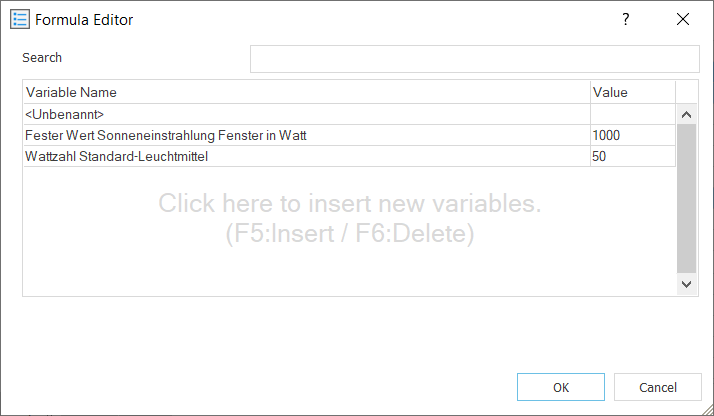
For example, if you have defined a formula for calculating the electrical room loads that combines the number of PCs in the room with a variable for the power per PC, and the power of the PCs changes, you can adjust the corresponding variable here. This automatically takes the change into account when calculating the loads for all rooms.
Search
Field for entering a search term. You can search the list of variables by variable name or by parts of the name. The search automatically adapts to your input. Upper and lower case is not considered.
Variable Name
Field for entering the name of the variable.
Value
Field for entering the value for the variable.