Configuring Settings
Shows step-by-step how to configure the settings for the pipe network calculation of a scheme.
Before you begin
You would like to configure the settings for the pipe network calculation of a scheme.
Requirement:
All components required for the corresponding pipe run scheme are present in the scheme (e.g. a main house connection in a potable water pipe run scheme).
Navigate to
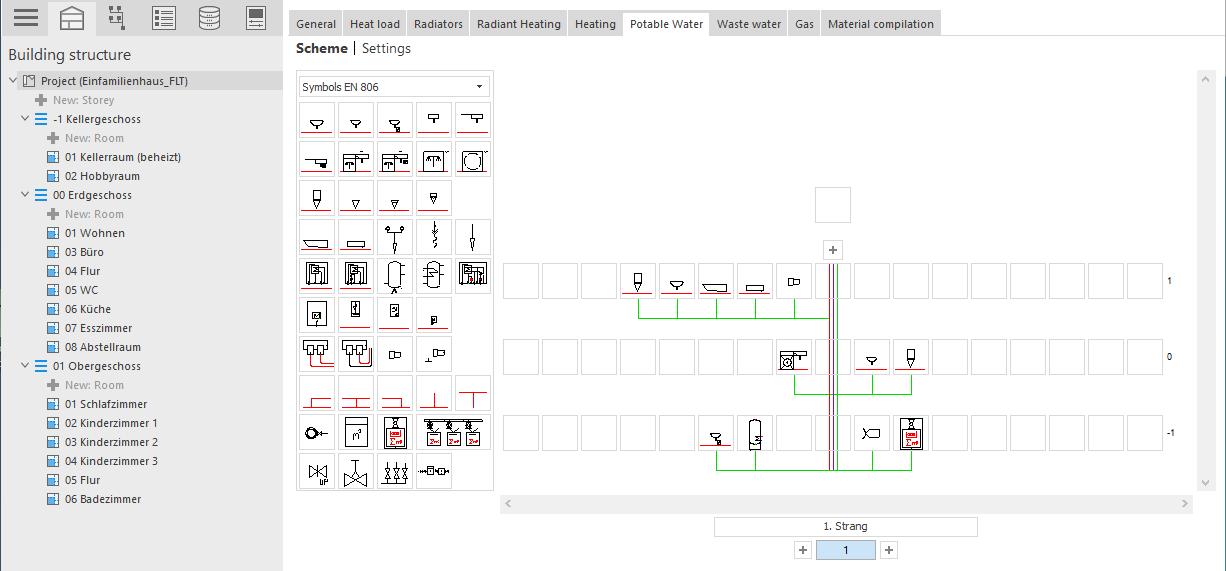
Procedure
- Make sure that the Building structure is set to project level so that the Settings area is available to the right of the Schema area.
- Click Settings. The project level Settings opens.
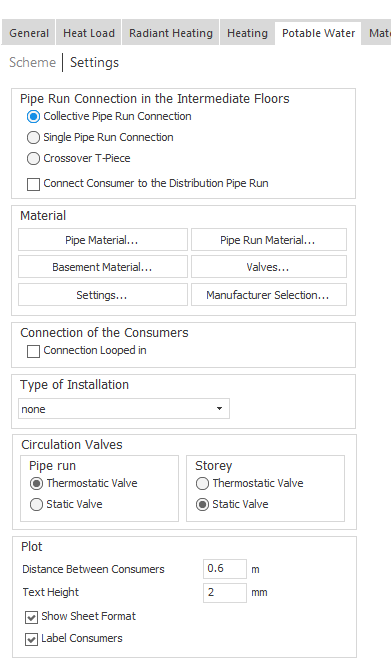
- In the Material section, click on Settings.... The Settings dialog opens.
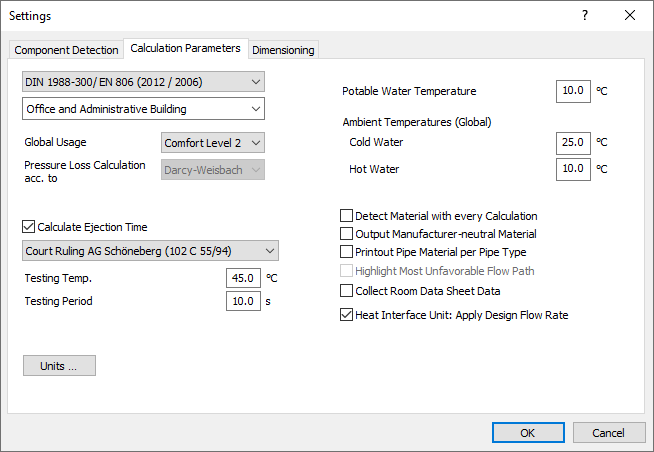
- Make sure that your desired calculation method is selected in the upper drop-down list and adjust the building type via the second drop-down list if necessary.
- If necessary, adjust the comfort level under Global Usage.
- Check the Potable Water Temperature (PWC) and the Ambient Temperatures (Global) and adjust the values if necessary.
- Specify which of the checkbox options should be taken into account in the pipe network calculation.
- Switch to the Dimensioning tab and adjust the limits for dimensioning in the left area if needed.
- In the right area of the Dimensioning tab, check the maximum speeds for different pipe types and adjust the values if needed.
- Set the desired checkbox options for dimensioning in the lower area and close the dialog with OK.
Results
You have configured the settings for the pipe network calculation of a scheme.