Defining Pipe Run Options
Shows step-by-step how to define the pipe run options for the pipes of your scheme in the Potable water trade.
Before you begin
You would like to define the pipe run options for a pipe run of your scheme.
Navigate to
Procedure
- Right-click one of the numbered pipe run buttons
 . The following context menu opens: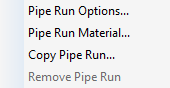
- Select the menu item Pipe run options.... The Pipe run options dialog opens.
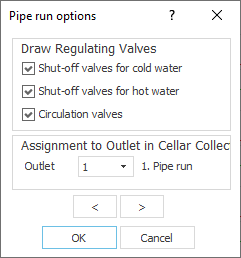 Tip: Alternatively, you can open the Pipe run options dialog via the context menus of the pipe run buttons of the individual storeys in the scheme
 .
. - Define the desired options for the pipe run and click OK.
Results
You defined the pipe run options for this pipe run.