-
Activate Take minimum packing volumes into account.
-
In the tree structure, select the level whose material compilation you want to print.
-
Click on Print
 in the toolbar.
The dialog Compilations and Results opens.
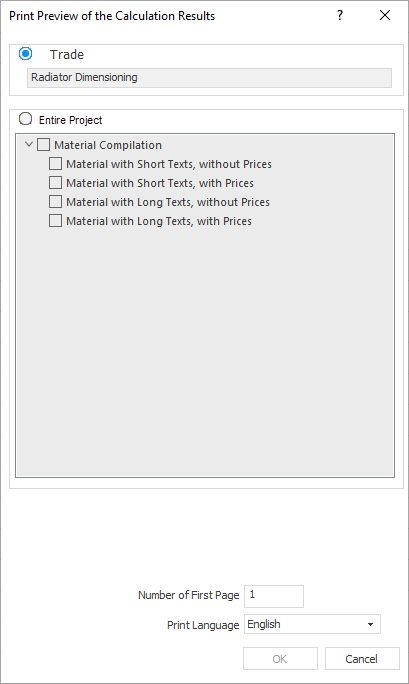
-
Activate the checkboxes of the desired connections.
-
If you wish, change the Number of the First Page and the Print Language.
-
Click OK.
A preview of the printout opens.
-
Check the contents of the preview and click on Print.
The dialog for selecting the desired content opens again.
-
Adjust your selection accordingly and click OK.
The dialog Print opens.
-
If necessary, adjust the settings in the dialog and click OK.
The material compilation will be printed according to your settings.
You have printed a material compilation.