-
Activate Take minimum packing volumes into account and Open exported file.
-
Deactivate the Trades whose material is not to be exported.
-
In the tree structure, select the level for which you want to export material.
-
Click
 Material export.
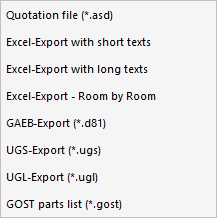
The following context menu opens.
-
Select the desired file format.
The Save as dialog opens.
-
Set the location, adjust the file name if necessary, and click Save.
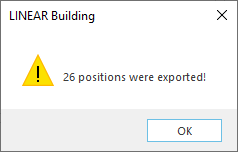
The export file is created. After exporting in D81, UGS, UGL and GOST formats, a note is made on how many items have been recorded. The note does not appear in other formats.