-
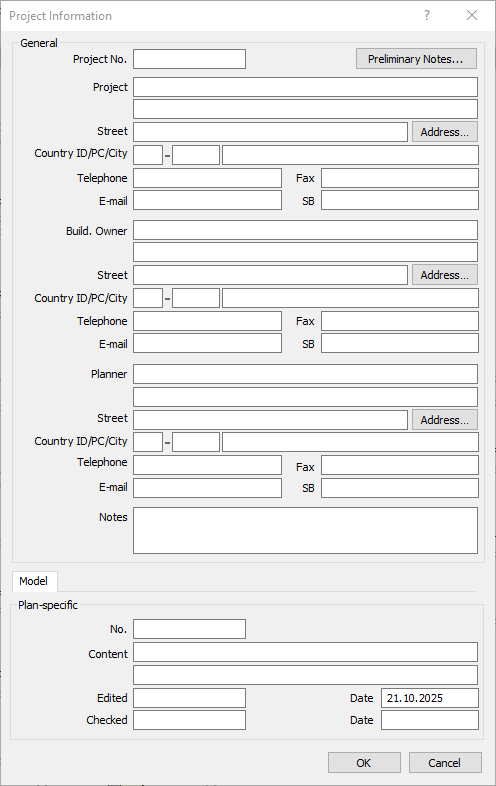
If you want to enter project data four the output, click Project data....
The Project data dialog opens.
-
Enter the desired project data. Clicking Address opens the LINEAR address database, from which you can import addresses into the project data.
-
Click Preliminary notes to select or create preliminary notes that will be adopted in the printout.
-
Click OK to close the Project data dialog.
-
If there are multiple systems in the project, select the system for which you would like to create the output in the System(s) list.
-
Select the desired print items.
-
Select the output format.
The Windows Printout option can be given out as a preview before printing. The remaining options in this drop-down list offer a number of formats for export.
-
If necessary, select a different print language.
-
If necessary, make further settings and then click Print or Export.
The calculation data are printed or saved including as configured.