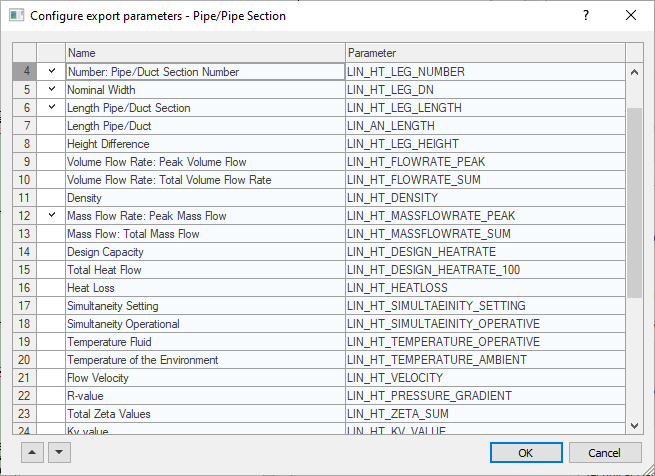
In the Configure Export Parameters - (...) dialog, you define shared parameters for the selected network components. These parameters are saved in the network components and can therefore be output and used by other project participants when the model is passed on.
You are here:
|
Column |
Description |
|---|---|
|
Activation Column |
Click to check the parameters that are to be created as shared parameters for the respective network component. Clicking the head line of this column activates all entries. A second click deactivates all entries. A third click restores the previous selection. |
|
Data Type |
Name of the data type that is stored with the parameter in the relevant network component. |
|
Parameter |
The name of the parameter that is written to the assigned network component. In this column there are always LINEAR parameters although there may be different assignments. |
 Line upward/downward
Moves the selected row in the parameter list either up or down. The sequence defined here is also used for the output of the parameters.