You are here:

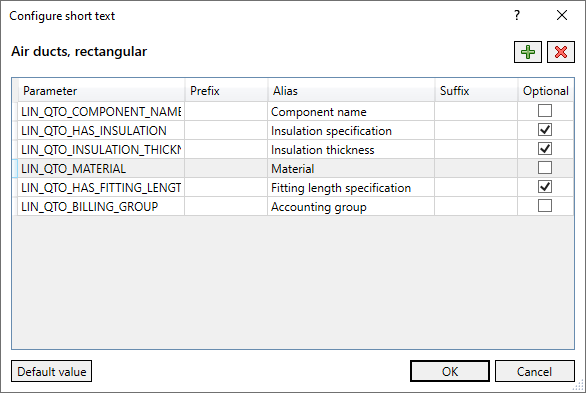
Use this dialog to specify which parameters are to be used in the short text of the selected partial service. The currently selected partial service is displayed above the table.
Click on  to delete the currently selected parameter.
Click on  to open the Select parameter ... dialog where you can select and add a parameter.
| Column name | Description |
|---|---|
| Parameters | Name of the selected parameter. |
| Prefix | Text to be entered, which is displayed in the Quantity takeoff acc. to [...] dialog in the Short text column of the Quantity takeoff section before the value of the respective parameter. |
| Alias | Text that is displayed instead of the parameter name in the Quantity takeoff acc. to [...] dialog in the Short text column of the section Configuration. When you add another parameter, an alias will be suggested by the program. |
| Suffix | Text to be entered, which is displayed in the Quantity takeoff acc. to [...] dialog in the Short text column of the Quantity takeoff section after the value of the respective parameter. |
| Optional |
Enabled: If the parameter is not present, no error message will be generated. Disabled: If the parameter is not present, a corresponding error message is generated. |
 Defaults: Resets the parameters for the selected partial service to the default values.