-
Click the issue that contains the view you want to comment.
-
Click the view you want to comment within the Issue section.
-
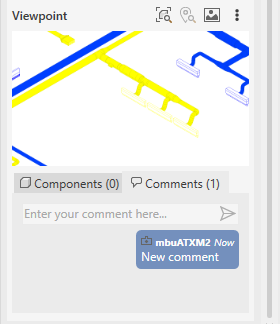
Open the Comments tab under Viewpoint.
-
Enter your comment and confirm with Enter.
The new comment is displayed.