-
Switch to the project level necessary in the Building Structure.
-
Click Domestic Ventilation Overview.
-
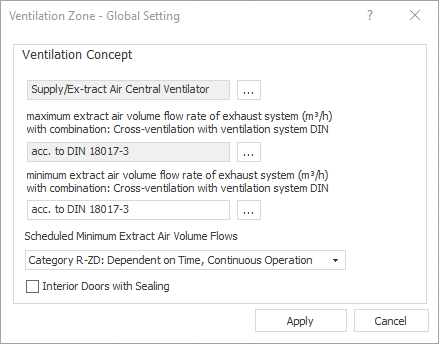
Click the Ventilation concept global settings button.
The Ventilation Zone - Global Setting dialog opens.
-
Make the desired settings for all ventilation zones and confirm with Apply.
-
Confirm whether the ventilation concept should be adopted for all ventilation zones with Yes.
You have assigned the same ventilation concept to all ventilation zones. You can still change the ventilation concept of individual ventilation zones by selecting the ventilation zone in the building structure and changing the ventilation concept.