-
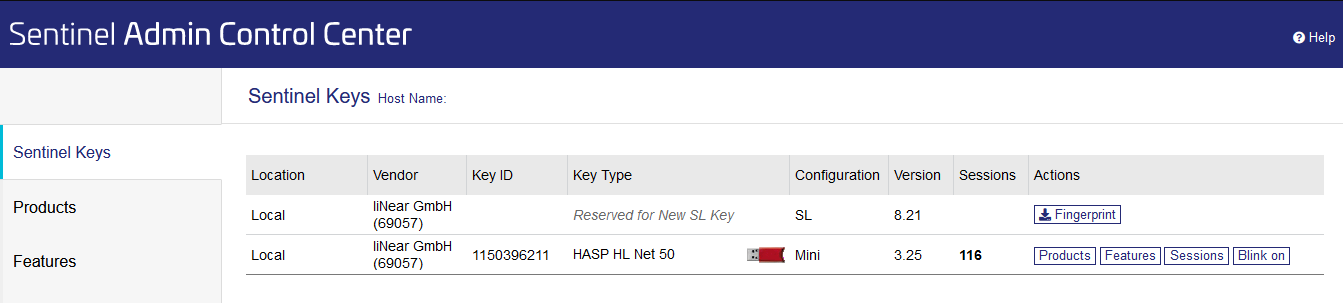
In the Navigation bar, click Sentinel Keys.
-
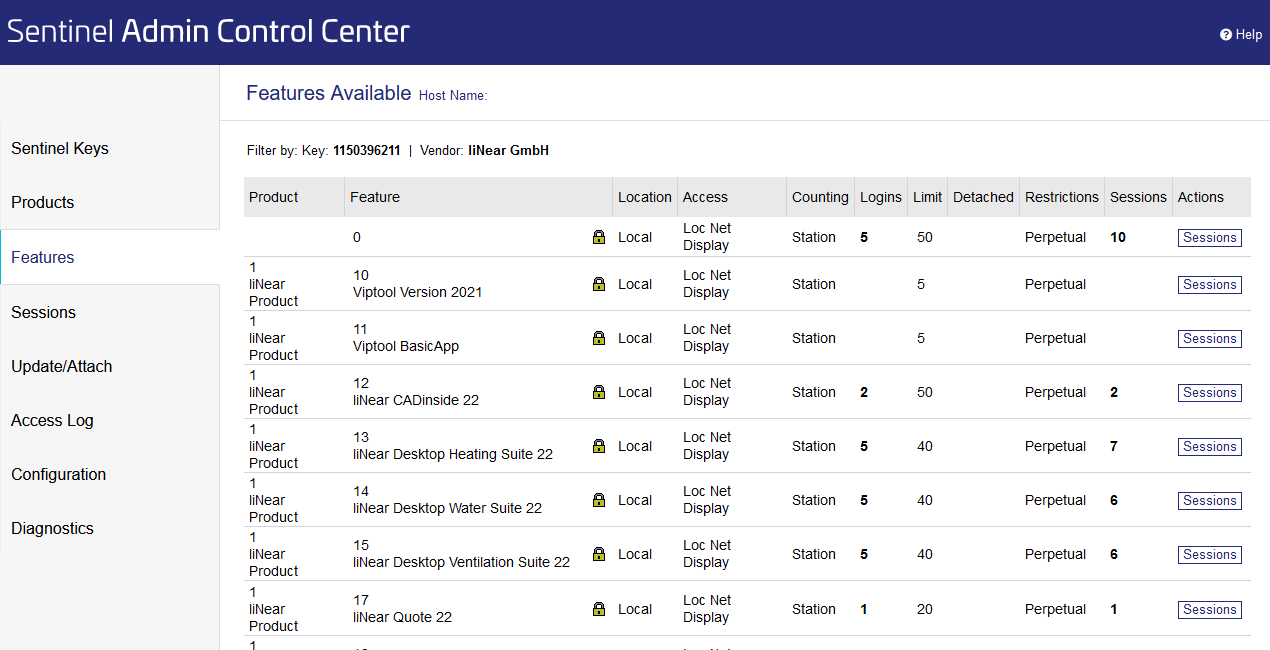
In the Actions column, click Features to view the licensed licenses on your software protection.
The individual products, the corresponding licenses and the number of currently used licenses are displayed.
-
Click Sessions in the line of the license you would like to unlock.
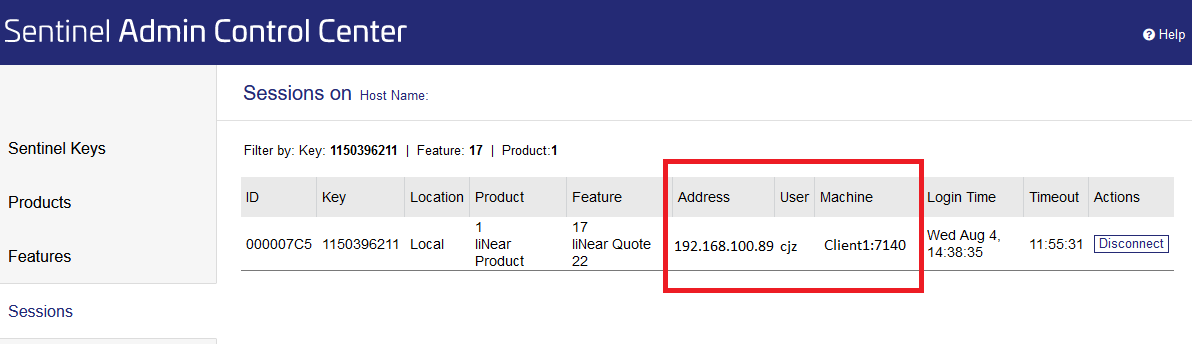
The Sessions on page opens, where you can see to whom the license is currently assigned.
-
Click Disconnect to end an employee's session.
The orphaned license is now released again.