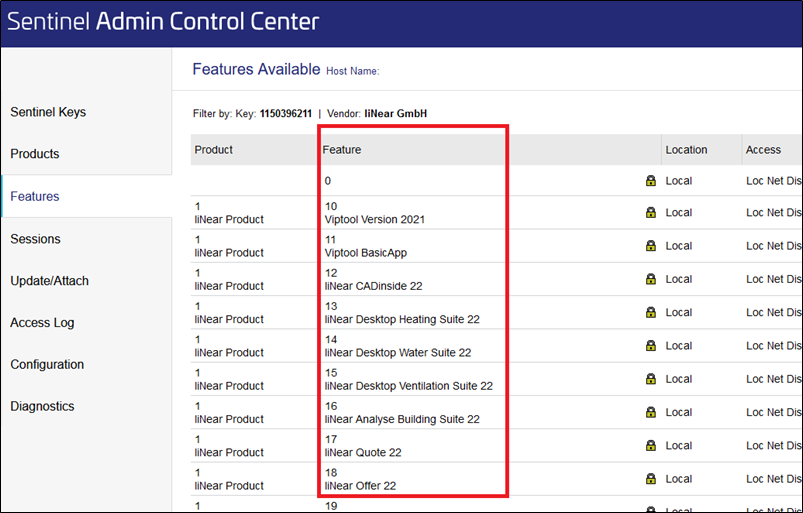
Shows step-by-step how to check which program versions of a program are licensed on your software protection.
In the Navigation bar, click Features.
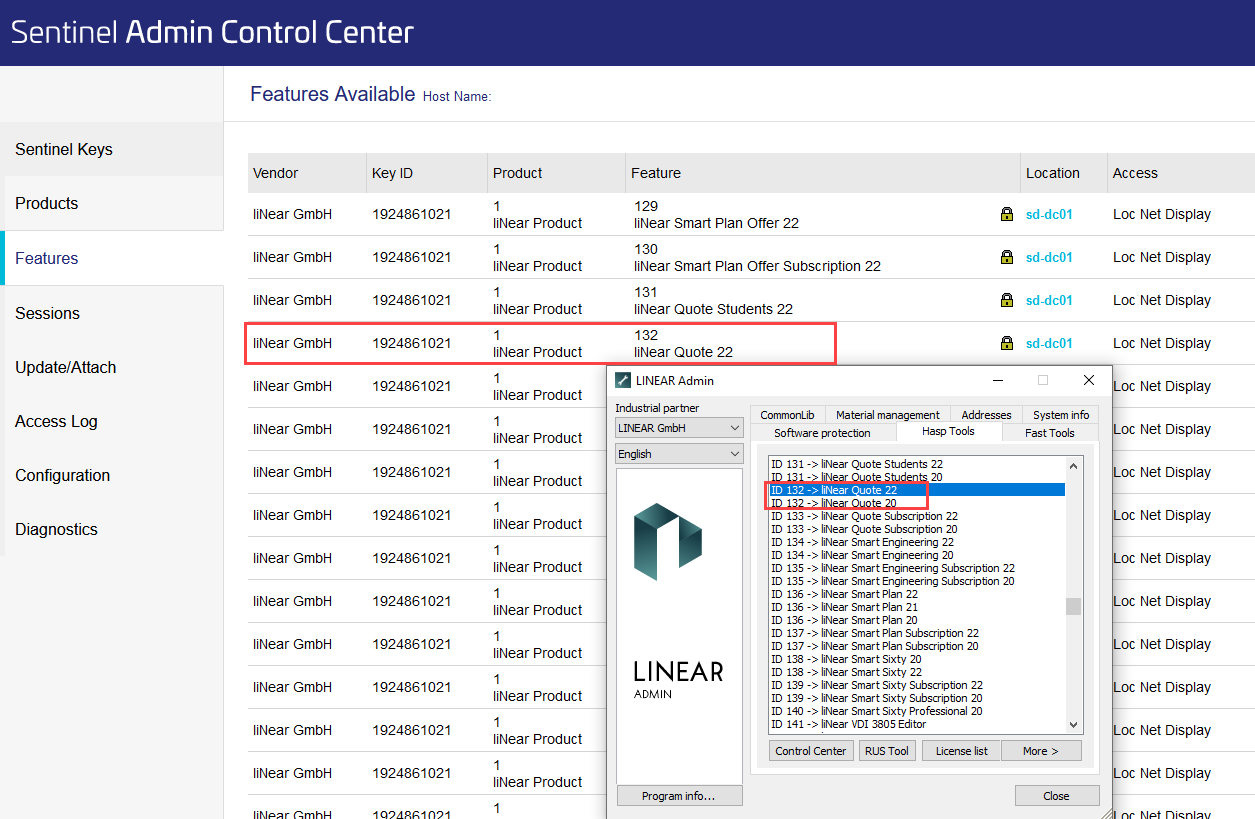
Put LINEAR Admin in front of the browser view of the ACC and click License list on the HASP Tools tab.
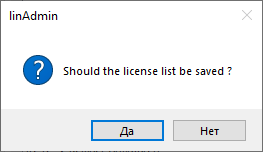
The following dialog opens.
Click No.
The LINEAR Admin will show you a list of all feature IDs, program names and versions licensed on your software protection.
Compare the list in LINEAR Admin with the corresponding entry of the feature in the ACC.
You can see that, for example, behind the entry Feature 17 liNear Quote 22 from the ACC, versions LINEAR Quote 16-21 are also hidden.
About Cookies
This website uses cookies. Those have two functions: On the one hand they are providing basic functionality for this website. On the other hand they allow us to improve our content for you by saving and analyzing anonymized user data. You can redraw your consent to using these cookies at any time. Find more information regarding cookies on our Data Protection Declaration and regarding us on the Imprint.