-
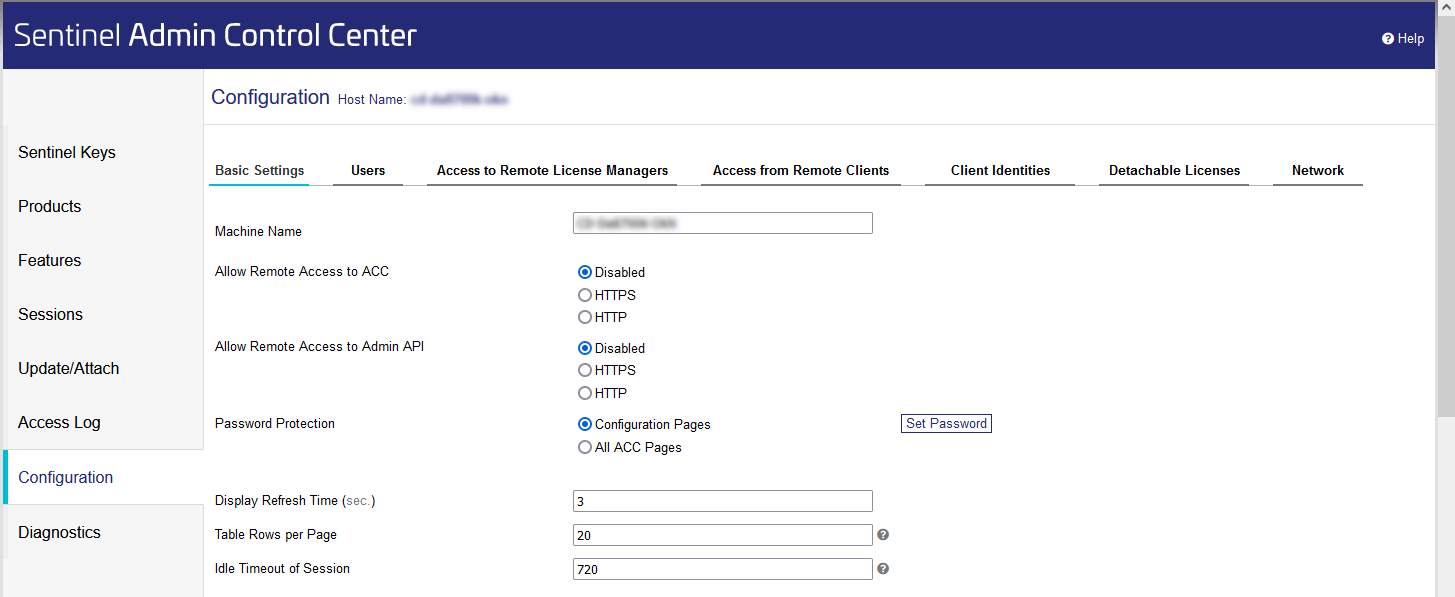
In the Navigation bar, click Configuration.
-
On the Basic settings tab, under the Password Protection point, enable the Configuration pages option.
-
Click Set password.
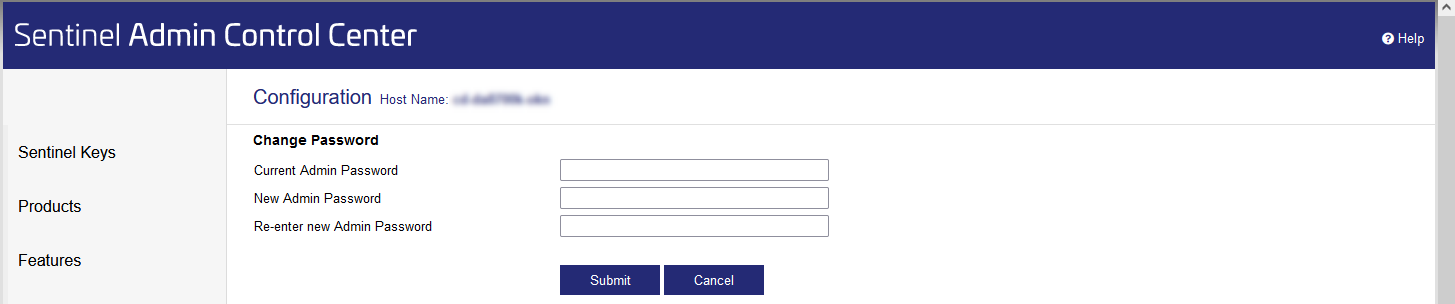
The page for changing the password opens.
-
Enter the new password under New Admin Password and confirm it again under Re-enter new Admin Password.
During the initial setup the Current Admin Password field remains blank.
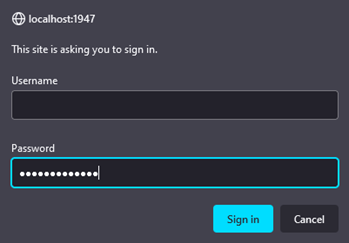
The password is set up and the following dialog opens.
-
Leave the Username field blank, enter the password and click Log In.
You have completed the password setup.