-
Do a right-click on a numbered pipe run button
 .
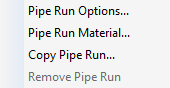
.The following context menu opens:
-
Select the menu item Pipe run options....
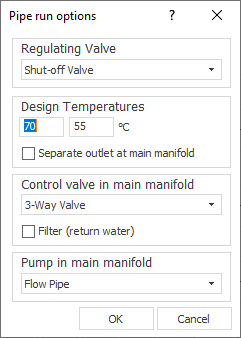
The Pipe run options dialog opens.
-
Define the desired options for the pipe run and click OK.
The settings of the pipe run are then displayed in summary form in the tooltip of the pipe run buttons.
You defined the pipe run options for this pipe run.