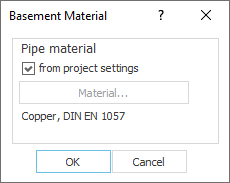
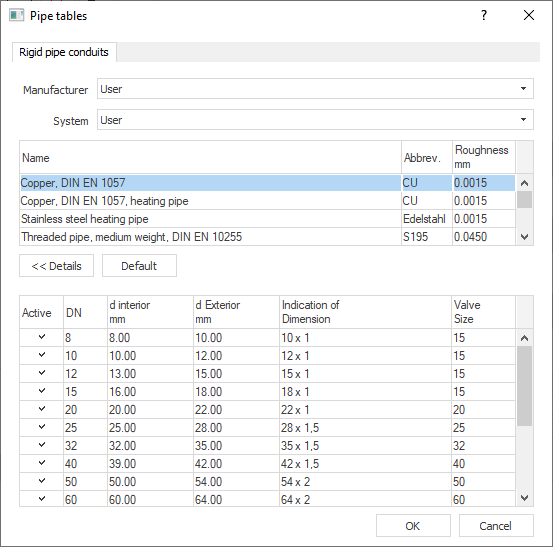
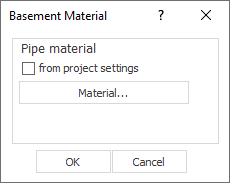
Shows step-by-step how to specify a pipe material for the basement that differs from the project setting.
Click Basement material... in the Material section.
The Basement material dialog opens.
Deactivate the checkbox from Project settings and click the now activated Material... button.
The Pipe tables dialog opens.
Select the desired material and click OK.
The pipes in the basement are assigned a pipe material that differs from the project setting.
About Cookies
This website uses cookies. Those have two functions: On the one hand they are providing basic functionality for this website. On the other hand they allow us to improve our content for you by saving and analyzing anonymized user data. You can redraw your consent to using these cookies at any time. Find more information regarding cookies on our Data Protection Declaration and regarding us on the Imprint.