-
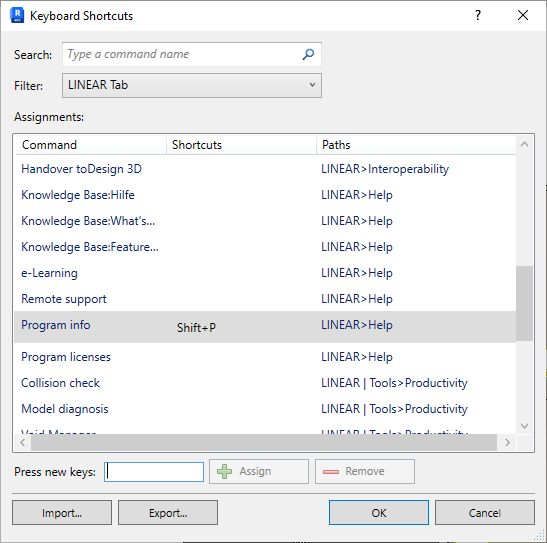
Select Tab or LINEAR | Tools Tab from the Filter drop-down list.
-
Assign keyboard shortcuts to all listed commands as desired.
-
Exit the dialog by clicking OK.
You can use the keyboard shortcuts directly.
LINEAR Revit V26
Shows step-by-step how to set up keyboard shortcuts for LINEAR functions in the Revit Ribbon.
Select Tab or LINEAR | Tools Tab from the Filter drop-down list.
Assign keyboard shortcuts to all listed commands as desired.
Exit the dialog by clicking OK.
You can use the keyboard shortcuts directly.