-
Select Zones from the drop-down list to display the grouping of spaces by zone.
-
Right-click a zone to open the context menu and click Properties.
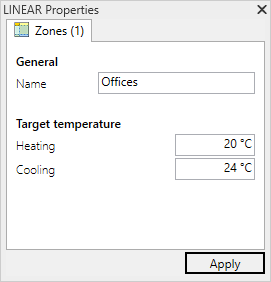
The Properties dialog for zones opens:
-
Adjust the target temperatures for cooling and heating.
-
Click Apply.
Editing Zone Properties
Shows step-by-step how to edit the properties of a zone.