The Element Classes and Property Sets dialog contains the Element Classes and Property Sets and Information Levels tabs. On this help page you will find a brief thematic classification of the functionalities of the two tabs. Detailed information on the two tabs can be found on the help pages linked below.
You are here:
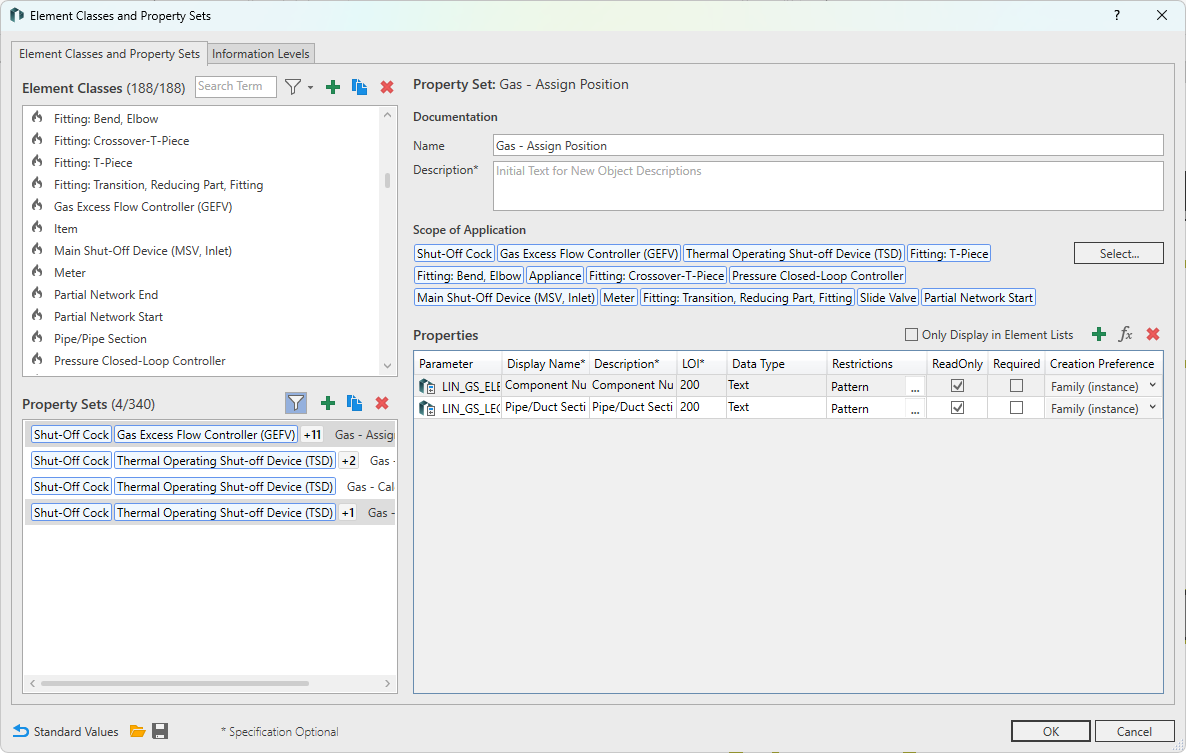
Tab Element Classes and Property Sets
Revit-Categories provide only a rough subdivision of model elements. The rendering, assignment and extension of (possible) properties of an element in the model is therefore correspondingly limited. Element classes in connection with property sets offer a wide extension of the conventional display of properties. For a detailed description, please refer to the relevant help page, which is linked at the bottom of this page under “Related Interface Elements.
Information Levels Tab
Information levels allow you to filter the amount of data displayed in the LINEAR properties according to the development stage of your model. For a detailed description, please refer to the relevant help page, which is linked at the bottom of this page under “Related Interface Elements.