-
Click .
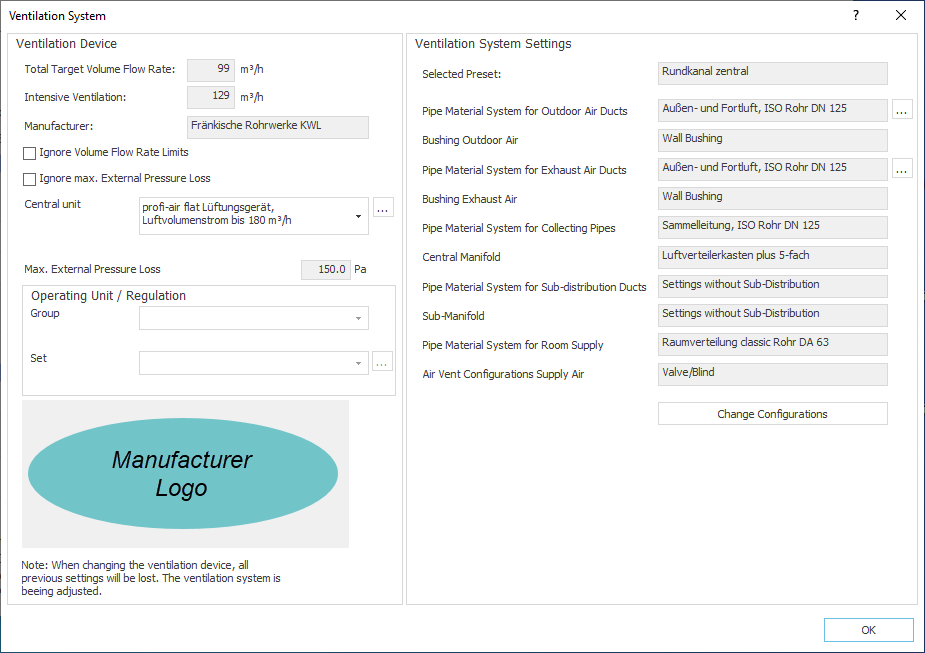
The dialog Ventilation System opens.
-
If required, select a different ventilation unit for this ventilation zone from the Central Unit drop-down list.
-
Next to the Central Unit drop-down list, click on
 to select optional accessories for the ventilation unit or to adjust standard accessories.
 -
In the area Ventilation System Settings, click on
in the rows for outdoor or exhaust air ducts to select optional accessories for the air ducts or to adjust standard accessories. -
Click on Change Settings to change the set pipe systems, ducts or manifold.
-
Click OK to close the dialog.
The ventilation system settings are adjusted according to the requirements of the selected ventilation zone.