-
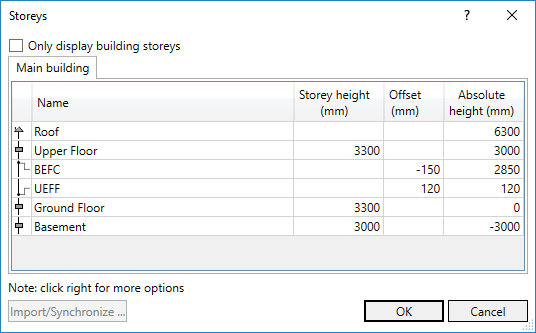
Click in a field of an existing storey or work level to edit it.
-
Right-click on an existing storey or work level to open the context menu.
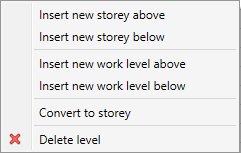
Right-click on a level to open the following context menu:
-
Select the desired action.
-
For work levels, the Storey height field is deactivated. Work levels below a storey level are automatically marked with a negative sign.
-
When converting storey levels to work levels, the value of the storey height is taken as the offset. Conversion in the other direction works in the same way.
-
The storey and/or work levels are edited.