-
Select the reference level in the Construction Level/ Offset (+/-) section.
-
Click Discipline.
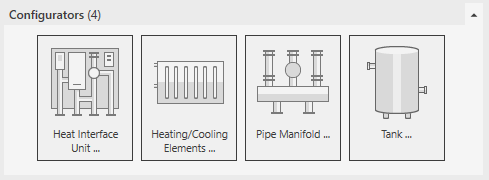
The configurators the families of the heating discipline are displayed.
-
Open the Configurators section.
-
Click Tank ....
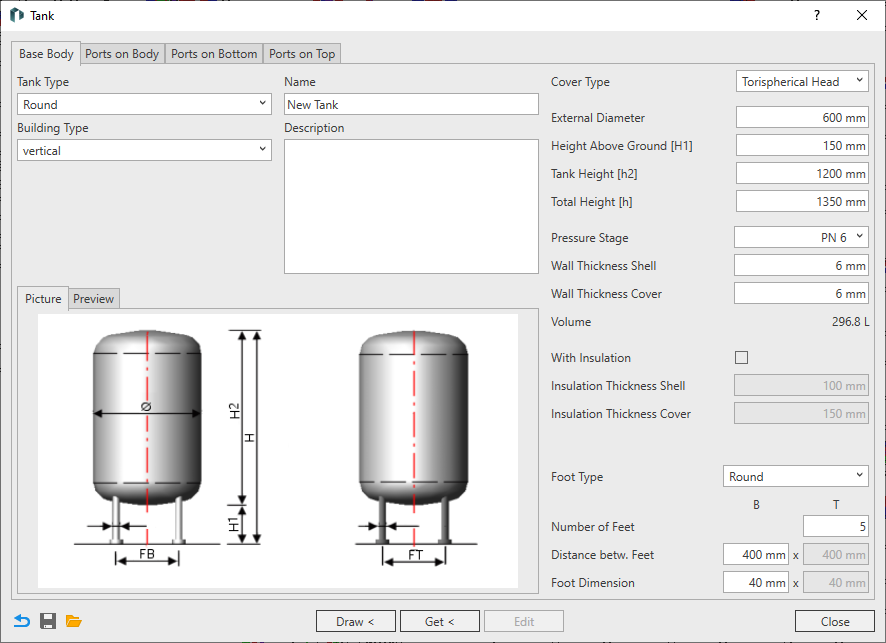
The Tank dialog opens. The Base Body tab is displayed.
-
Select the tank type and building type.
-
If necessary, enter a name to name the family of the container.
-
If necessary, enter a description with technical data to distinguish the tank from other configurations.
-
Select the cover type.
-
Enter the dimensions of the base body.
Which dimensions are to be used can be seen in the illustrations on the Picture tab. If you want to check the effects of an entry, switch to the Preview tab. Click the Refresh button after changing the settings.
-
Specify the Pressure Rating of the tank and adjust the wall thicknesses if necessary.
-
Select a foot type.
-
Enter quantity, distance and dimension of the feet.
The base body is completely configured.
-
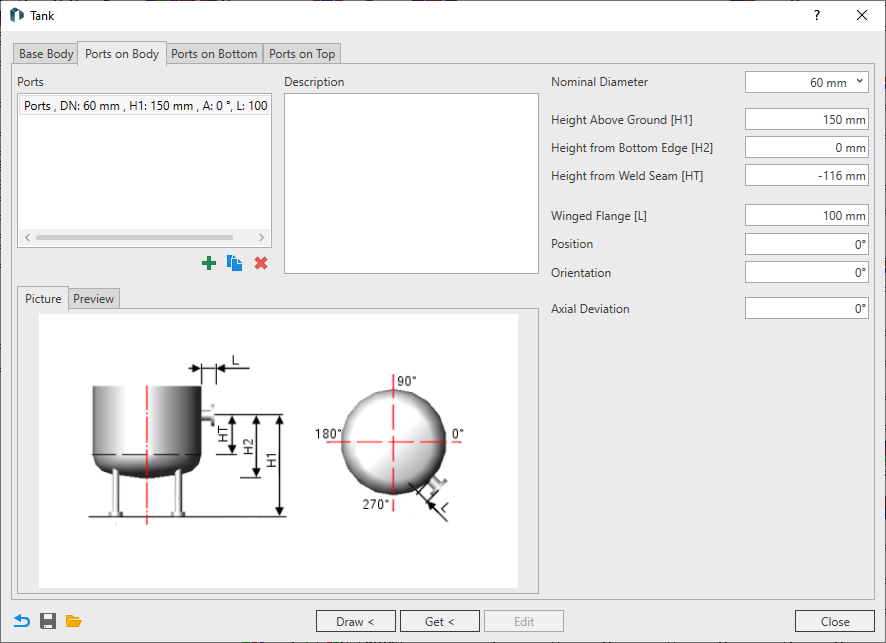
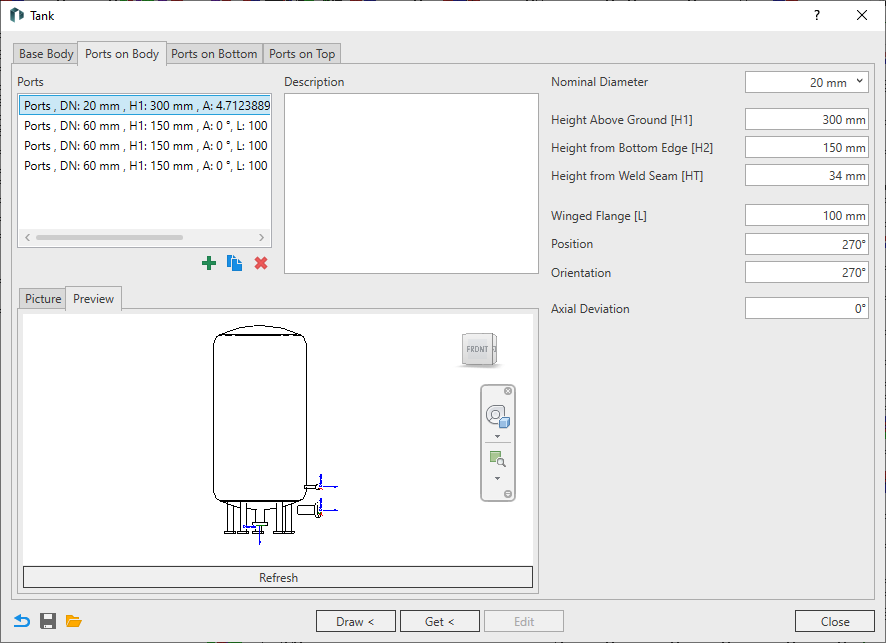
If you want to attach the ports to the side of the tank, to the tank bottom or to the tank cover, switch to the related Ports on Bottom, Ports on Body or Ports on Top tab.
The selected tab is displayed. If a port has not yet been created, the tab is initially empty.
-
Click New Port
 .
.The port is created and appears in the selection list. The remaining fields for defining the port are released.
-
If necessary, enter a description of the port and change the dimension and dimensions of the port.
Which dimensions are to be used can be seen in the illustrations on the Picture tab. If you want to check the effects of an entry, switch to the Preview tab. Click the Refresh button after changing the settings.
-
If necessary, add more ports.
If necessary, use the function Duplicate Port
 . Delete the port with the function Delete Port
  .
.
-
If you also want to use this tank in other projects, click Save
 and save the configuration in a location of your choice.
 -
Click Draw and place the tank in the model.
-
Press ESC twice to exit the command.
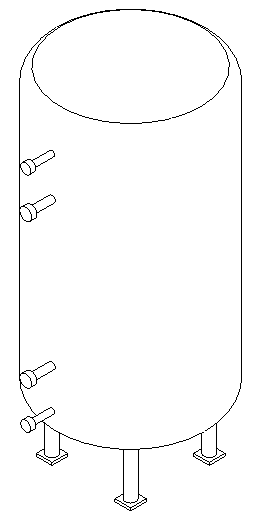
The tank is inserted in the model.