-
Depending on the status of the view, perform the following steps:
- Existing views – Add the existing view to a sheet so that the view is automatically marked as a sheet view.
- New views – Perform the following steps:
-
Click
 Create view.
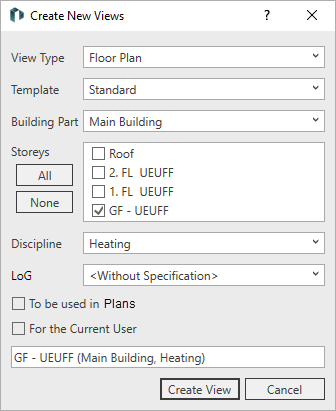
The Create new views dialog opens.
-
Make all desired settings and activate To be Used In Sheets.
-
Click Create view.
The view has been created, marked as a sheet view, and can be filtered accordingly in the list of views.