-
Do a right-click on a numbered pipe run button
 .
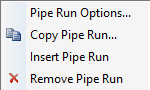
.The following context menu opens.
-
Select the menu item Pipe Run Options....
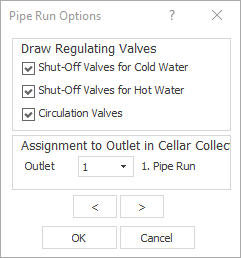
The Pipe Run Options dialog opens.
-
Use the Outlet drop-down list to specify which outlet of the basement manifold should supply this pipe run.
-
If necessary, use the arrow keys

 to switch to other pipe runs and change the assignment to the basement manifold there as well.
 -
Close the dialog with OK.
You have assigned the pipe runs to outlets on the basement manifold.
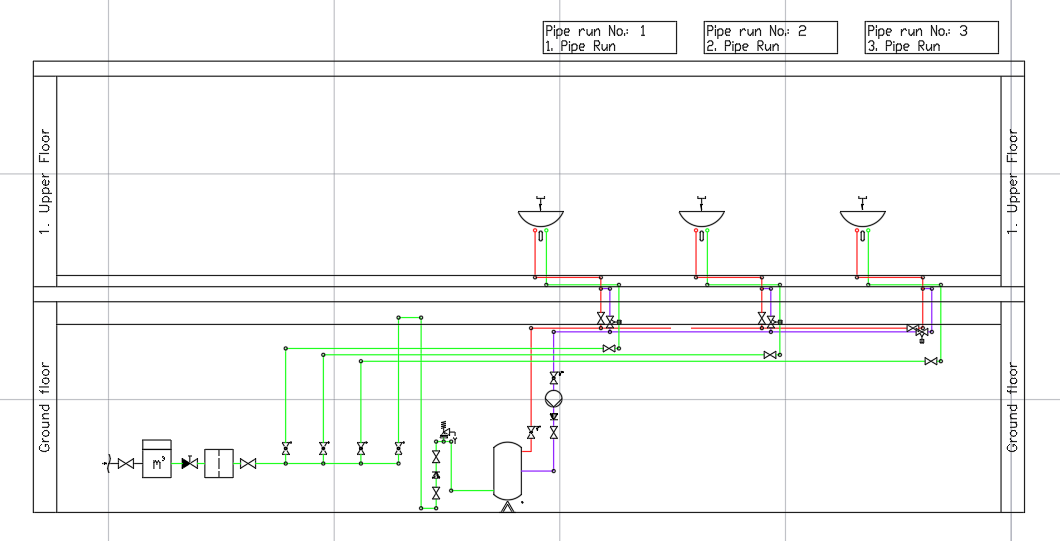
Example: Pipe run 1 has been assigned to outlet 1 of the basement manifold and pipe runs 2 and 3 have been assigned to outlet 2.