-
Start LINEAR Admin on a client.
-
On the Hasp Tools tab, click Control Center to connect to the ACC.
-
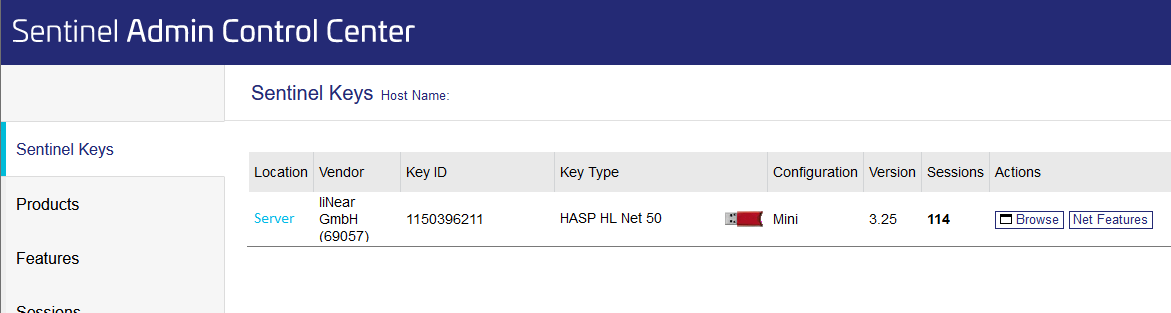
In the Navigation bar, click Sentinel Keys to display your network software protection.
-
In the Actions column, click the Browse button to switch to the server's Features view.
-
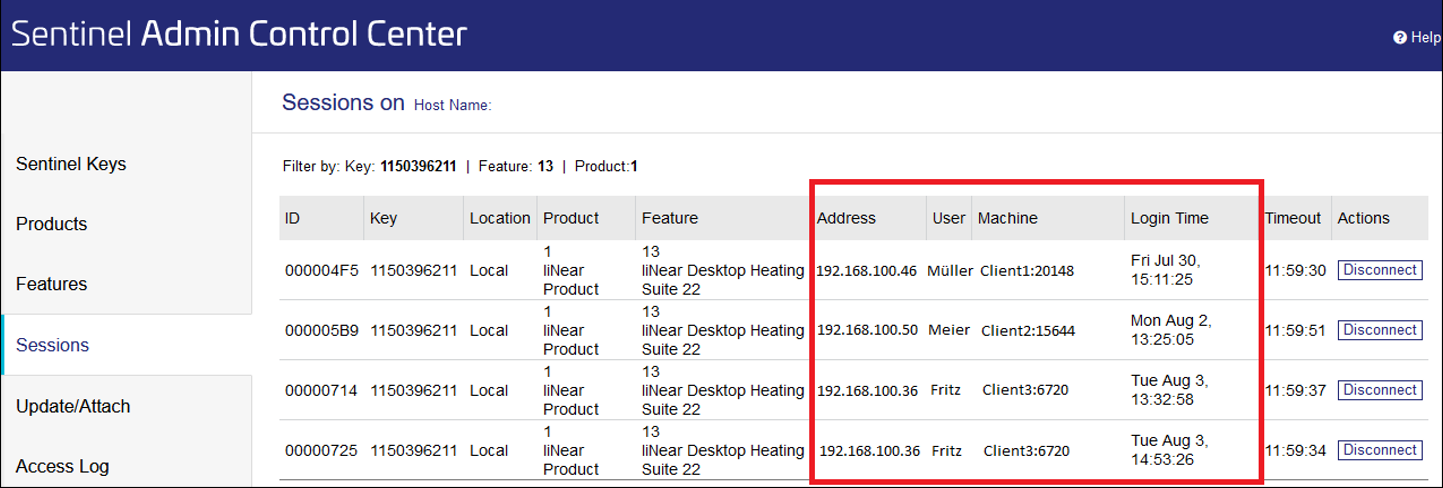
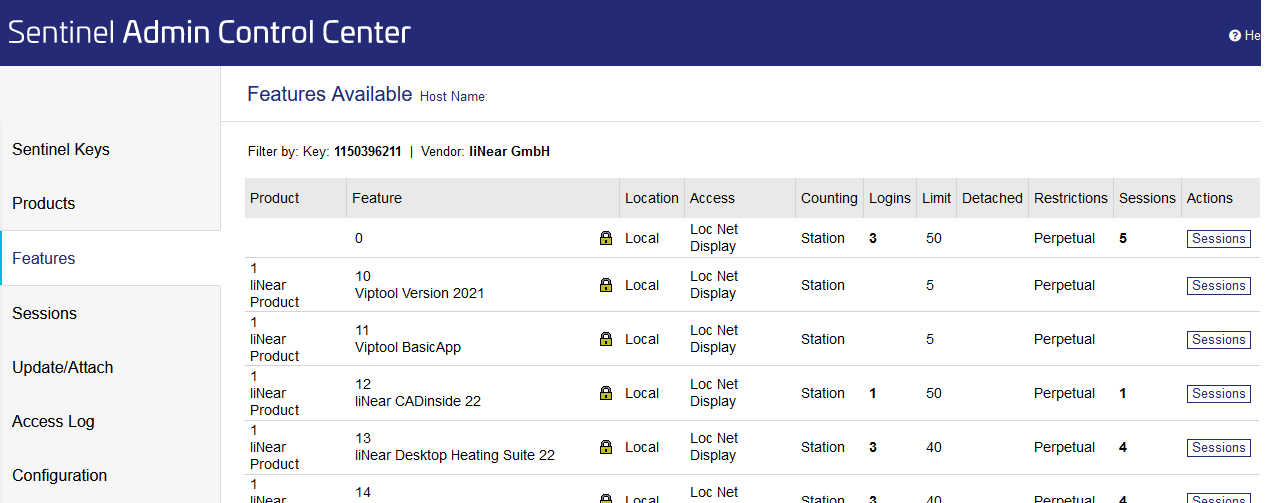
Select one of the listed licenses that has a number in the Logins column and click the Sessions button.
Your employees can now see who is currently using licenses.