In this area, you set the label which is used to label network components.
You are here:
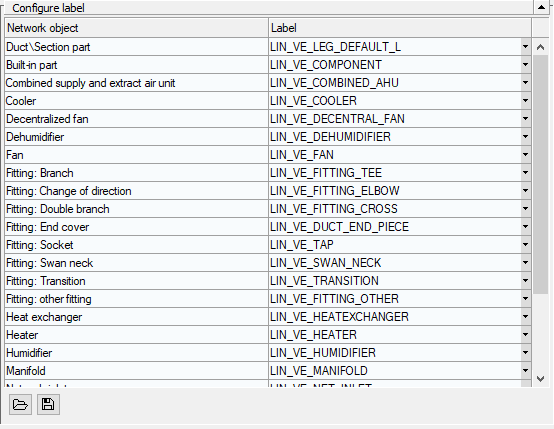
Configure Label
|
Element |
Function |
|---|---|
|
Network Object Column |
Displays all network objects that can be labeled in the current discipline. |
|
Label column |
Shows the currently set label for the respective network object. |
|
|
Opens the context menu <Select file... >, which you can use to select a different label family for the selected network object. |
|
|
Opens the file explorer in which you can load a different configuration. Configuration files have the file extension *.labx and must be located in the standard directory for labels. |
|
|
Opens the file explorer where you can save the current configuration as an XML file in the desired directory: ..\ProgramData\LINEAR GmbH\Solutions xx\CAD\<Discipline>\User-standards\Labels. The current parameter selection and all formatting are saved in a configuration. Configuration files have the file extension *.labx. |


