Problem
The manufacturer radiators inserted from LINEAR Building in the LINEAR Building drawing are not displayed in the printout.
Cause
In certain views, the color of the drawn radiators is the same as the color of the underlay of your drawing, e.g. in the 2D Wireframe or Layout view. This can be the case when you insert radiators from LINEAR Building that come from VDI datasets.
Solution
- You can change the color of the radiators in AutoCAD using the Change colors < command in the LINEAR control Control Board in order to make the radiators visible.
-
Switch to the model view in AutoCAD.
-
Switch to a view where the radiators are visible, for example Conceptual.
-
In the Control Board, switch to the Edit tab.
-
Select the command Change colors <.
-
Select the radiators whose color you would like to change and confirm the selection with Enter.
-
Skip the first query Additionally filter elements using ... in the command line with Enter.
-
Enter a color number or an RGB color code at the query New color (color number or R, G, B): and confirm with Enter.
-
Skip the two following queries New layer name and New line type with Enter.
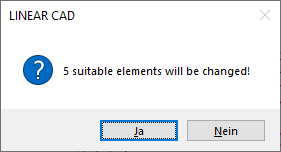
AutoCAD queries if the color change should be performed.
-
Confirm the change of the Elements with Yes.