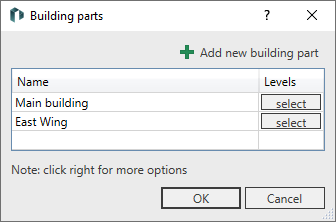
In this dialog box, you can create building parts, remove building parts, and assign the desired levels to building parts.
You are here:
Table
Click on  Add new building part or click in an empty row of the table to create a new building part.
Table context menu
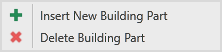
Right-click in the table to open the context menu for inserting and deleting building parts:
Name
Specifies the name of the building part.
Levels
The select button opens a list of levels contained in the project. Select the levels that belong to the respective building part.