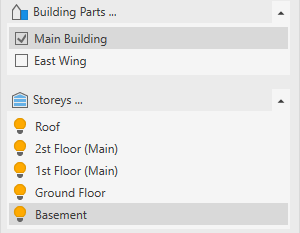
-
Click Building parts …
The Building parts dialog opens.
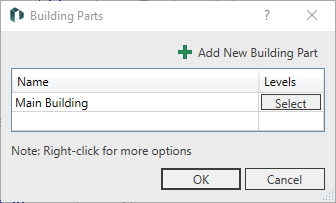
-
Click in a free line of the table or Add New Building Part to create a new building part.
-
Enter the name of the new building part.
The new building part is created.
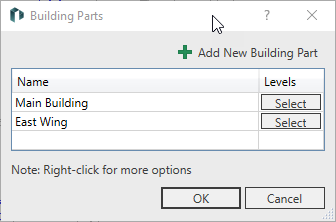
-
Click Select in the row of the new building part.
-
In the list that appears, deactivate the levels that do not belong to the current building part.
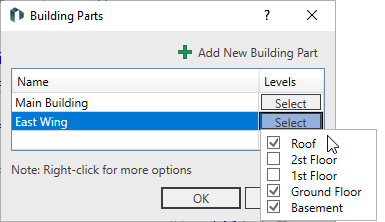
-
Click outside the list to close it.
-
Repeat the process for all other building parts and close the dialog with OK.
The building part is created and the levels are assigned. If you select a building part in the Building parts section, the corresponding storeys are displayed in the Storeys area.