-
Click on
 below Heating/Cooling Generator.
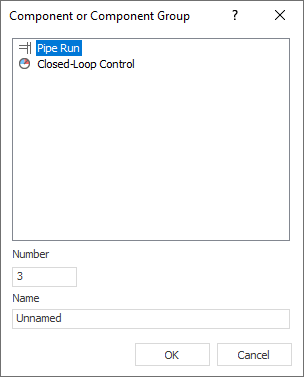
The Component or Component Group dialog opens.
-
Select Closed-Loop Control, if need be adjust Number and Name and confirm with OK.
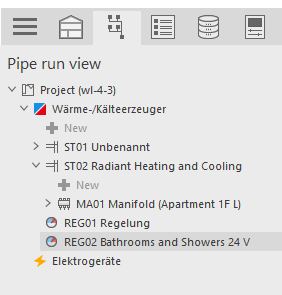
The closed-loop control is created.
-
Select the Manifold, of the circuit(s) to which you want to assign the new controller, in the Pipe Run View.
-
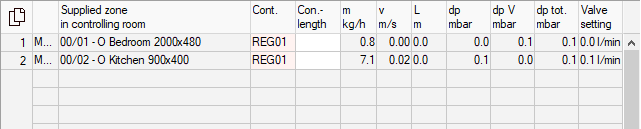
In the Heating Manifolds/Cooling Manifolds section, in the Controller column, assign the new closed-loop control to the relevant circuits.
The new control is assigned to the circuit.
-
Select the new closed-loop control in the Pipe Run View.
-
In the Closed-Loop Control section, click
 .
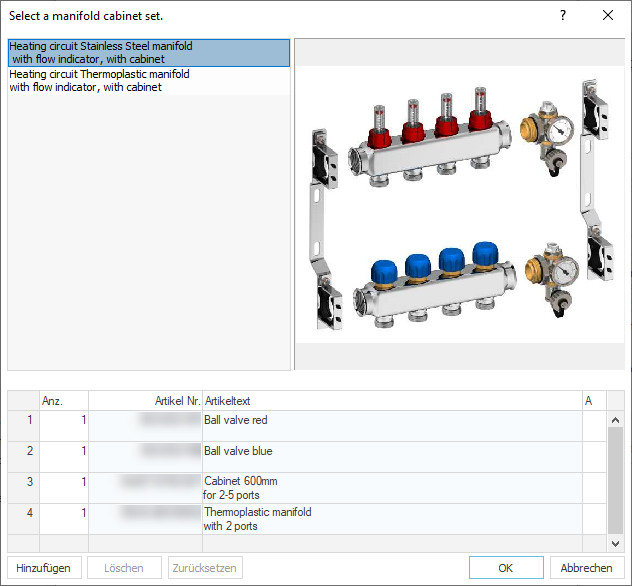
.The Select a single room closed-loop control system dialog opens.
-
Select the desired control components and confirm with OK.
In your project, you have created a new closed loop control with the desired control components and assigned it to circuits.