-
Click New....
A new entry is created.
-
Enter a name for the new topic in the Name column after double-clicking.
-
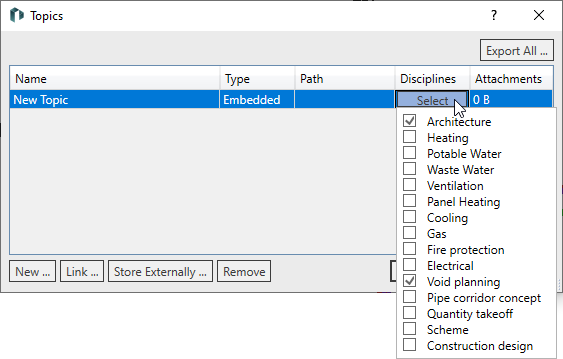
Click Select in the Disciplines column and activate all disciplines in which the topic should be displayed in the Issues and Tasks tab.
-
Exit the dialog by clicking OK.
The newly created topic is displayed in the Topics section.