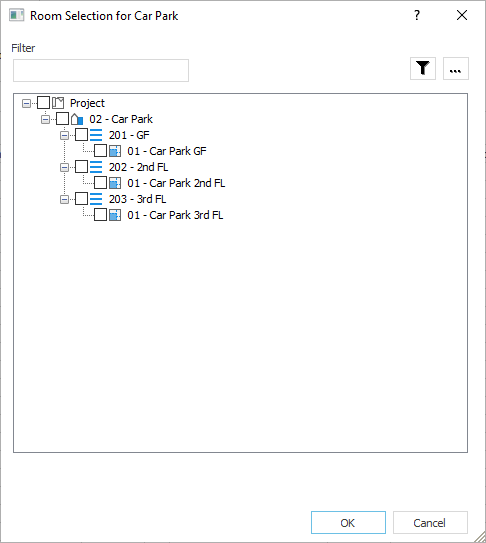
In this dialog you specify the rooms that are to be included in the room group.
You are here
Module Overview ➤ Ventilation ➤ Project, Building Part, Storey, Area Level (Building Structure) ➤ Air Volumes ➤ Calculation Method ... ➤ VDI 2053-1 Car Parks (Selection of Calculation Method) ➤ Project Level ➤ Car Parks ➤  (Column "Rooms Room" in rows of car parks)
Filter
In this area, you can filter the rooms using search terms and regular expressions (regex).
Filter
Filters the rooms according to the search terms entered. You can perform filtering using regular expression (ECMAScript variant of regex) and thus extend the filtering possibilities.
The following table provides examples of using regular expressions.
|
Search with regular expression |
Search result |
|---|---|
|
Toilet|Bathroom |
Displays all rooms with the text WC or Bathroom in their name. |
|
[WLA] |
Shows all rooms whose name contains the letter W, L or A. |
|
^M |
Shows all rooms whose name starts with the letter M or m. |
|
[0-3] |
Shows all rooms whose number contains one of the digits 0, 1, 2 or 3, for example 10 Storages. |
|
^Storage\s\d |
Shows all rooms whose name contains the text Storage, a following space and a following digit, for example, Storage 3. |
|
^Storage\s\D |
Shows all rooms whose name contains the text Storage, a following space and a following letter or a following special character, for example, Storage B. |
|
1. |
Shows all rooms whose name contains the digit 1 and any following character. |
 : Applies the filtering of the rooms to the search term entered under Filter and any regular expressions used.
 : Shows a list of examples for the use of regular expressions, which you can apply to the search field Filter by selection.
Room List
Defines which rooms contain the car parking. The structure of the list reflects the building structure of the project. Only rooms that are assigned the calculation method VDI 2053-1 Car Parks (12-2014) and that are not yet assigned to any other car park/car park are displayed. Adding rooms automatically creates a new car park section in the car park for each room. Removing rooms also deletes their car park parts.