-
Select the pipeline room group for which you want to assign loads.
-
Select the load tab that you want to assign.
-
In the table, click in an empty line to create a new group load.
A new group load is created and assigned to all rooms in the room group.
-
Click in the Use Profile Set column on
 .
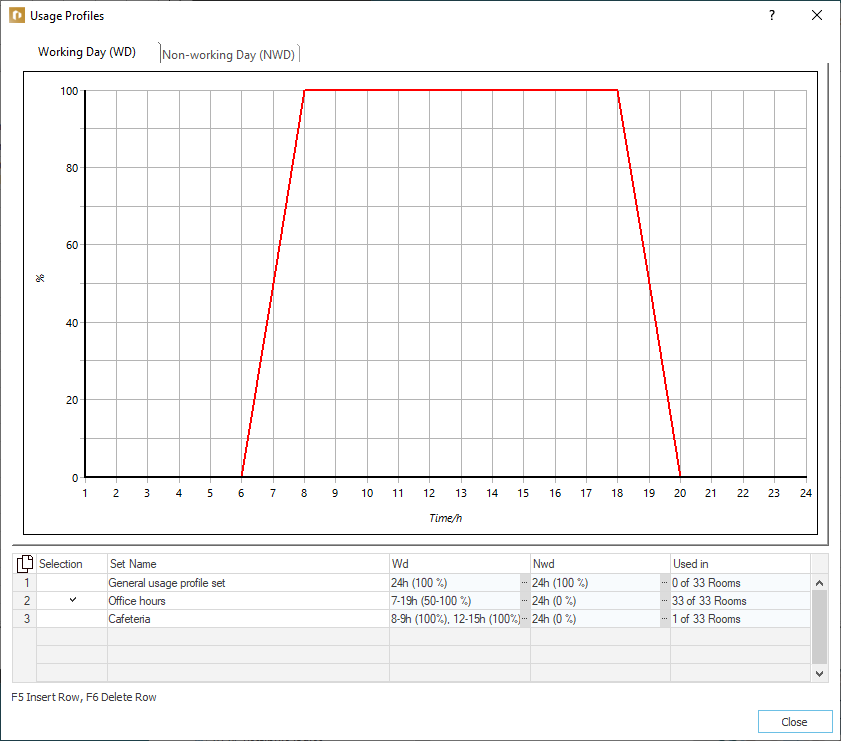
.The Use Profile dialog opens.
-
Click in an empty line and then in the WD column on
, in order to configure the profile. -
To return into the Use Profiles dialog, enter a name for the profile in the Set Name column.
-
In the Select column, activate the profile just edited by clicking on it and then Close the dialog.
-
Click in the Name column on
and select an appropriate load definition in the Internal Loads dialog.These options do not apply to Infiltration and Material Throughput.
-
Configure the remaining internal load parameters.
All internal loads that are to be expected in your building are assigned as group loads to the corresponding room groups.