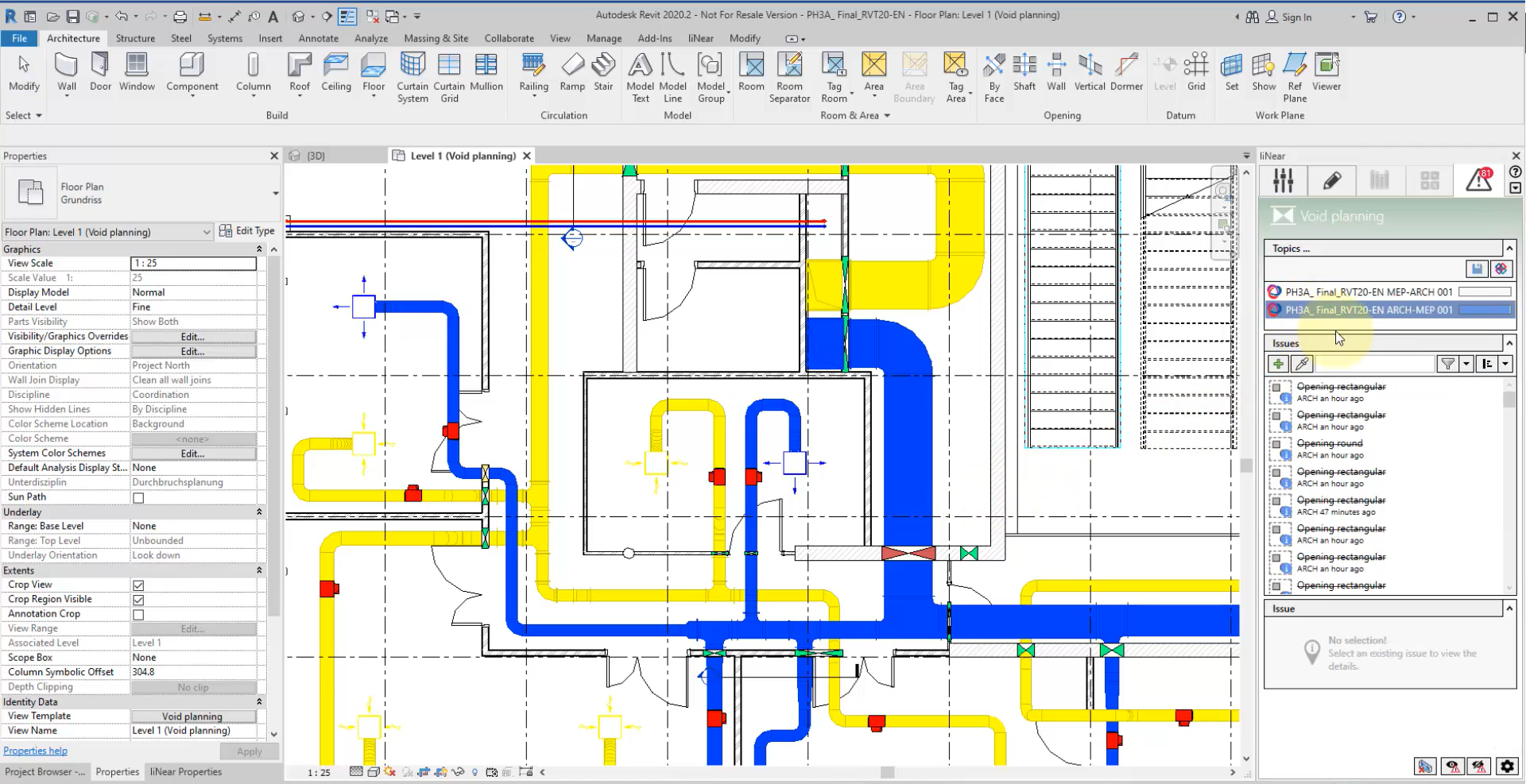
Im neusten Kurs auf unserem E-Learning-Portal zeigen wir Ihnen die Durchbruchsplanung mit LINEAR für Revit. Neben der Verortung von Durchbrüchen und Schlitzen, demonstrieren wir Ihnen die Koordination mit anderen Bauwerksbeteiligten direkt am Modell.
Um die statische Integrität eines Gebäudes zu gewährleisten und um effiziente Trassenführung zu bewerkstelligen, ist bei der Schlitz- und Durchbruchsplanung eine Abstimmung zwischen den Bauwerksdisziplinen und den technischen Gewerken unabdingbar. LINEAR Desktop bietet Ihnen zu diesem Zweck Schnittstellen zur Kommunikation und Koordination von Durchbruchsvorschlägen an.
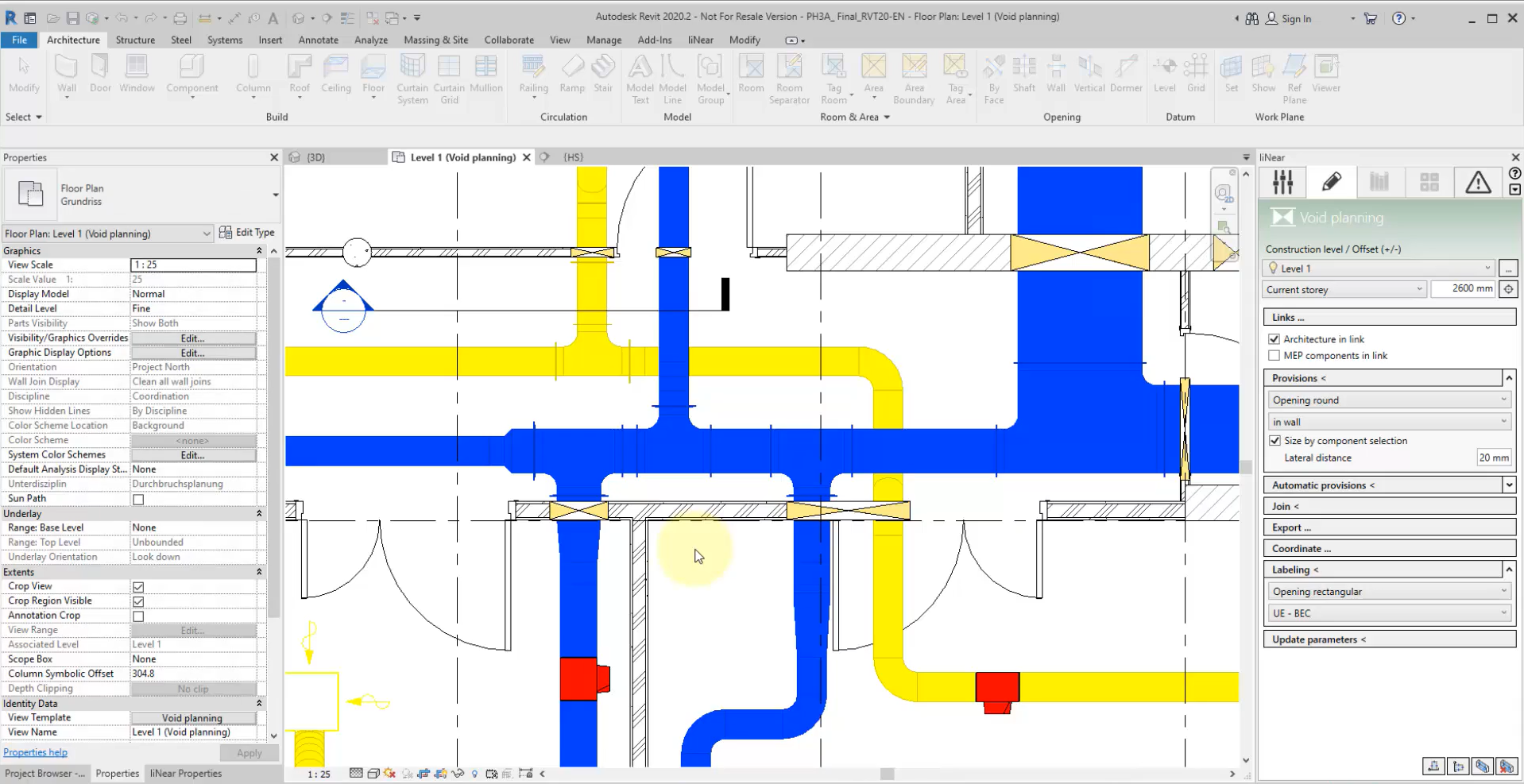
We will show you how to create void proposals manually, semi-automatically and automatically.
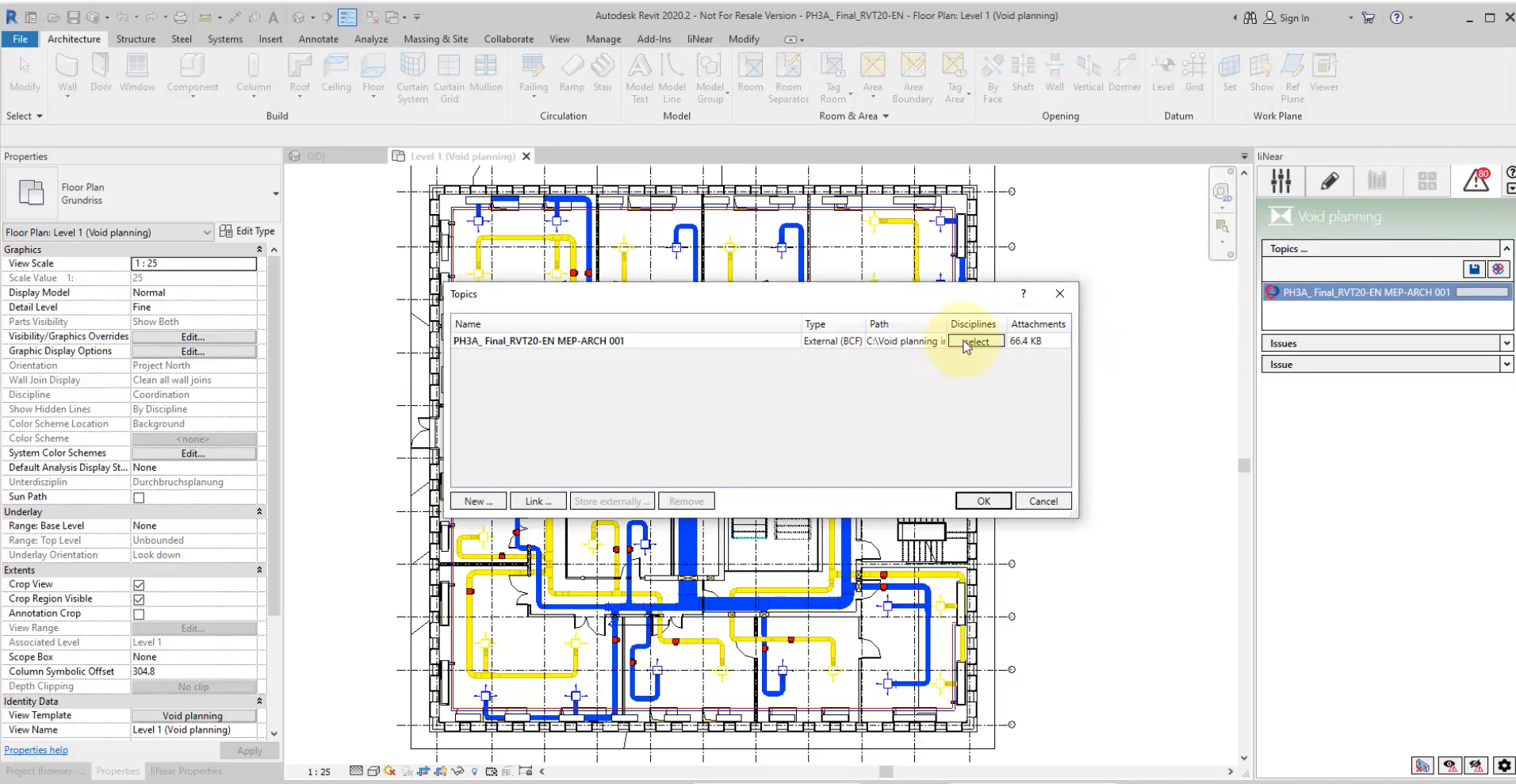
The void proposals that are created are initially provisional void forms that you can export in a BCF and/or IFC file format. These can be submitted to the building owner for further coordination.
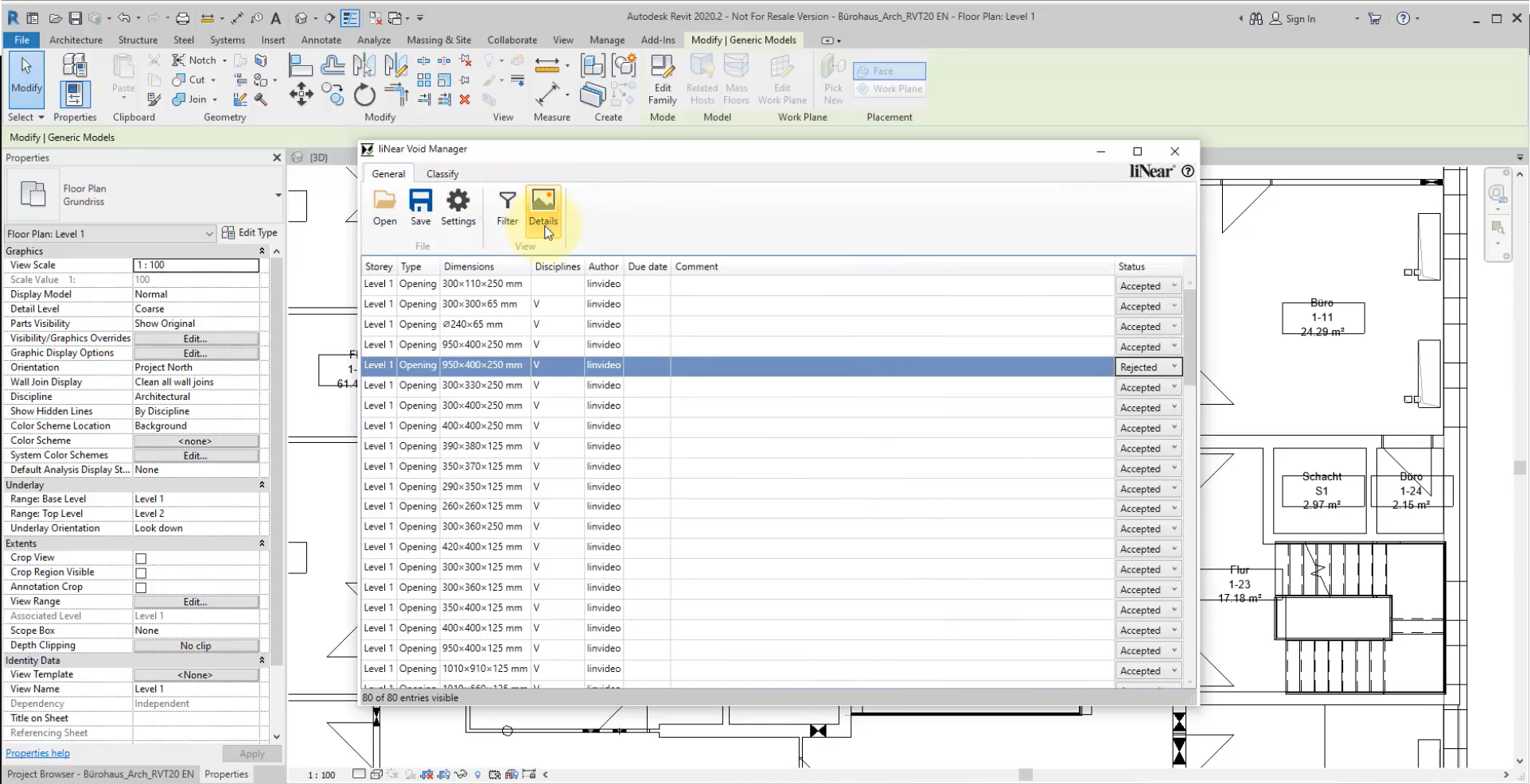
For Revit, we provide our free add-in LINEAR Void Manager. This add-in allows the person in charge to accept or reject proposed voids and even add notes.
Use the Coordinate function to import the BCF file with the new information, and accepted void proposals are implemented in the model as void forms.
Course structure
Void planning
1. General information
1.1 About the course Void planning
2. Create and edit void proposals
2.1 Manually create void proposals
2.2 Create void proposals semi-automatically
2.3 Create openings automatically
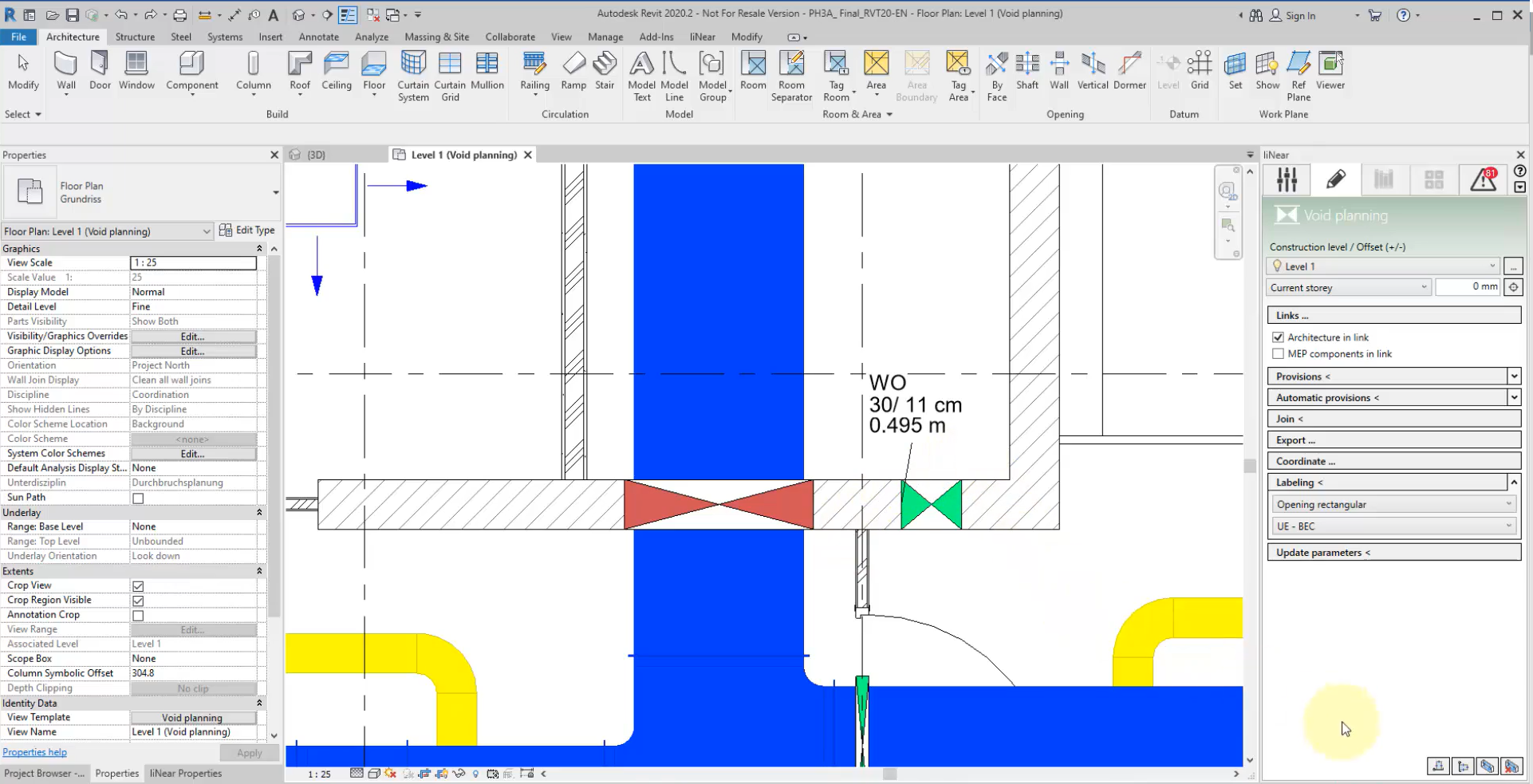
2.4 Labeling openings
3. Coordination (possibly only one chapter/video)
3.1 BCF/IFC Export
3.2 LINEAR Void Manager
We show you the manual and automatic creation of Provision for Voids.
We will also demonstrate the possibilities for labeling the voids.
The proposals you make can then be exported as a BCF (optionally with IFC) to coordinate with the other participants.
With the help of the free LINEAR Void Manager, the responsible person can accept or reject the proposals made or request improvements (e.g. via a comment).
The BCF is reloaded into the model including the decisions made by the other responsible parties (e.g. structural engineer or architect). The status of the proposals made is then also visualized in color in the model.
The cookie window is suppressed by a browser extension. Please unblock the website.
About Cookies
This website uses cookies. Those have two functions: On the one hand they are providing basic functionality for this website. On the other hand they allow us to improve our content for you by saving and analyzing anonymized user data. You can redraw your consent to using these cookies at any time. Find more information regarding cookies on our Data Protection Declaration and regarding us on the Imprint.