You are here:
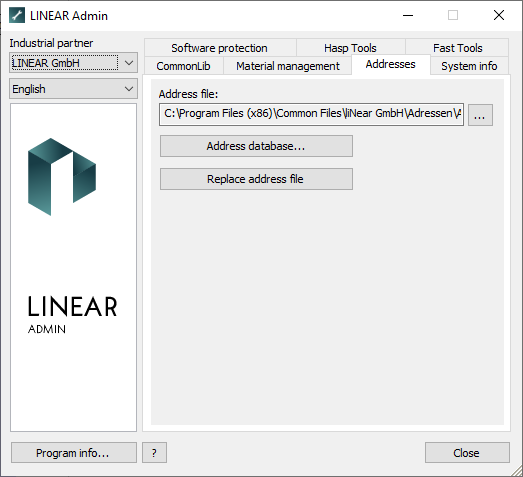
File path Addresses  : Specifies the path where the address file for the installed LINEAR programs is stored. The button with the three dots opens a file explorer in which you can select a directory.
Address database: Opens the Addresses dialog where you can create, edit and delete address data sets for the installed LINEAR programs.
Replace address file: Use this button to select an address file that replaces the existing address file if it is outdated, for example.