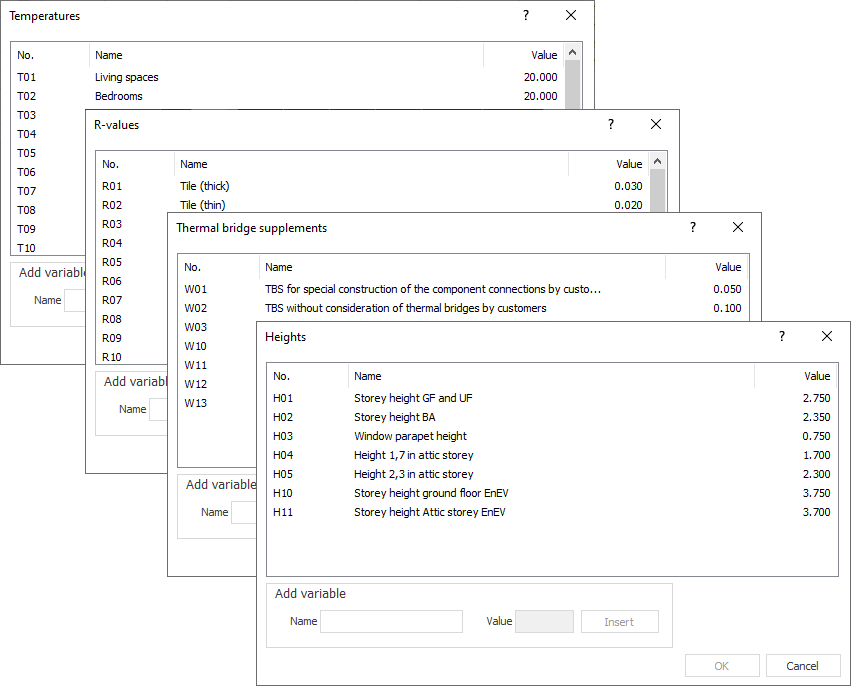
List of Variables
Allows the selection of the variables stored in the master tables.
No.
Displays the variable number. You can also enter variable numbers directly in the fields that you used to open the dialogs. You can use upper and lower case characters. It is not mandatory to enter zero for variables below 10.
Name
Displays the name of the variables.
Value
Displays the value stored for the variable.
Add Variable
Allows you to add variables to the corresponding areas in the master tables.
Name
Sets the name of the variable.
Value
Defines the the value of the variable.
Insert: Insert the variable into the corresponding part of the master tables. The variable is then available in the dialog. When adding variables, the existing numbering of the variables is continued. If there are gaps in the numbering of the variables, these are first filled before the existing numbering is continued. The variables are saved in the project.