-
Click in an empty line in the table.
A menu opens for selecting and/or creating the areas to be laid out.
-
Select the area to be laid out or the area that you are creating for the design
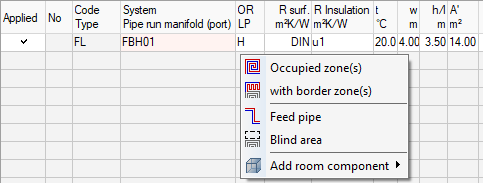
If necessary, the area is created as a room component and the following context menu opens:
-
Click on Occupied Zone(s).
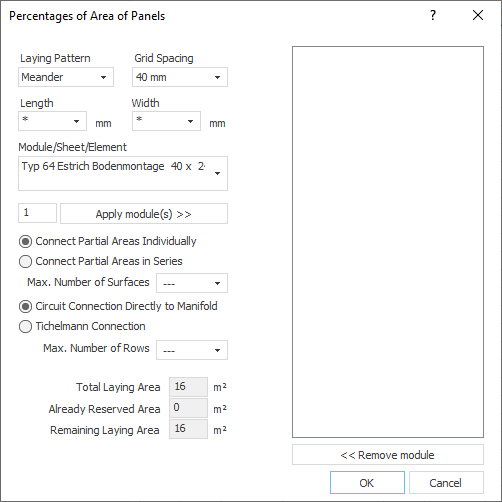
The dialog Percentages of Area of Panels opens.
-
Select the desired Length or Width from the corresponding drop-down lists to filter the list of available elements.
-
Select the desired version of the component from the Module/Panel/Element drop-down list.
-
In the input field below the drop-down list, enter how many of these modules are to be used for this room and click on Apply Module(s) >>.
-
Define the arrangement and connection of the modules in the room.
-
Confirm your settings by clicking OK.
The selected modules are used with the settings made and the room is laid out.