-
In the preselection, select the model series for which you would like to specify the dimensioning options.
-
Click on the Model options button.
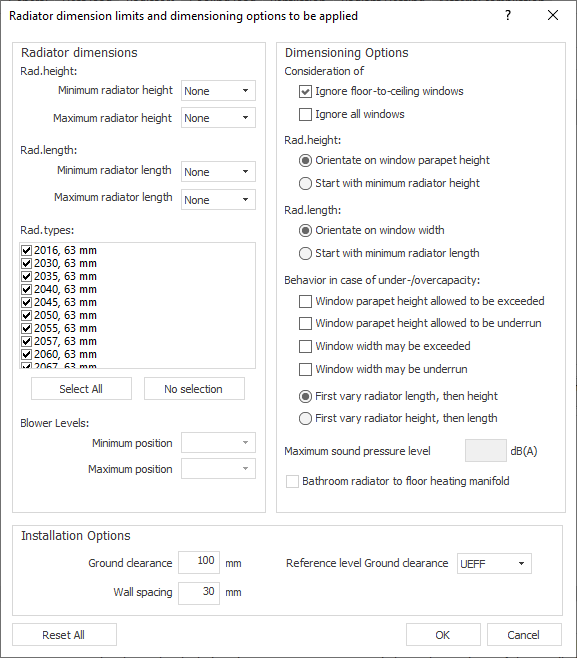
The dialog Radiator dimension limits and dimensioning options to be applied opens.
-
Make the desired settings for the dimensions.
-
Enter the desired settings for the dimensioning options.
-
In the Installation options area, specify which distances should be used when placing the radiators in a connected CAD.
-
Click OK.
Setting Model Options
Shows step-by-step how to set model options for radiator or cooling convector model series. This includes, for example, setting whether certain dimensions are to be observed during the design or whether, if the capacitz is not met or is exceeded, certain dimensions should be larger or smaller.