-
In the overview of Radiators or Cooling Convectors, highlight the model series whose properties you would like to modify.
-
Click VDI options button.
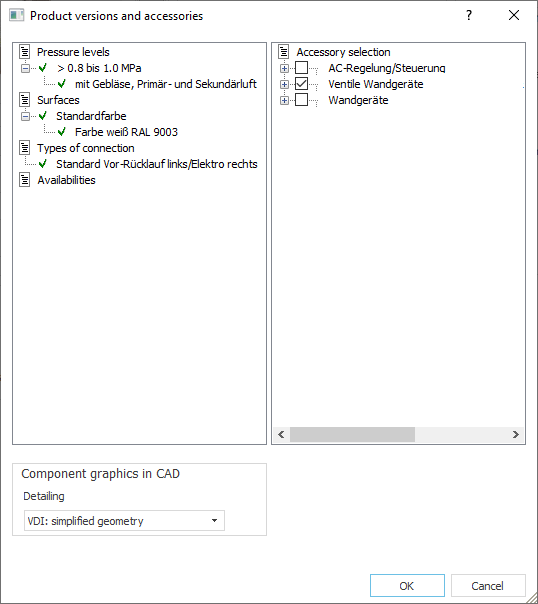
The Product Versions and Accessories dialog opens.
-
Click the desired product variant.
LINEAR Building marks the selected variant with a green checkmark.
-
If necessary, select the desired accessories on the right side of the dialog box
-
Click the OK button to confirm your selection.
Modifying Properties of VDI Radiators or Cooling Convectors in Preselection
Shows step-by-step how to modify the properties of a selected radiator or cooling convector model series of the preselection. The changeable properties depend on the manufacturer's specifications and the model series. The settings apply globally to all radiators or cooling convectors of the selected model series.