-
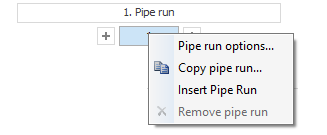
Do a right-click on a pipe run button.
The following context menu opens.
-
Select the menu item Copy pipe run....
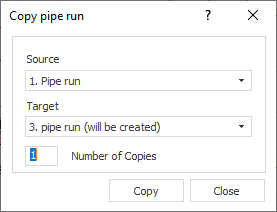
The Copy pipe run dialog opens.
-
Select the pipe run to be copied under Source and the pipe run in which the copy is to be inserted under Target.
-
Specify the Number of copies.
-
Click Copy .
A copy of the pipe run with its symbols and pipes has been created.