-
Click a pipe of the pipe type that you want to add flanges to.
-
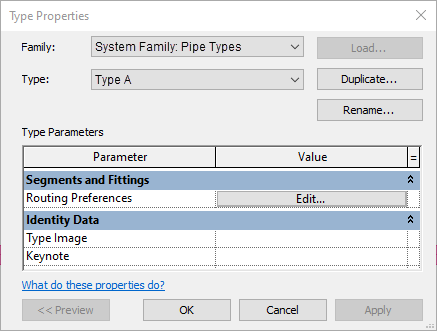
Click Edit type in the Properties section.
The Type properties dialog opens.
-
In the Routing presets line click Edit.
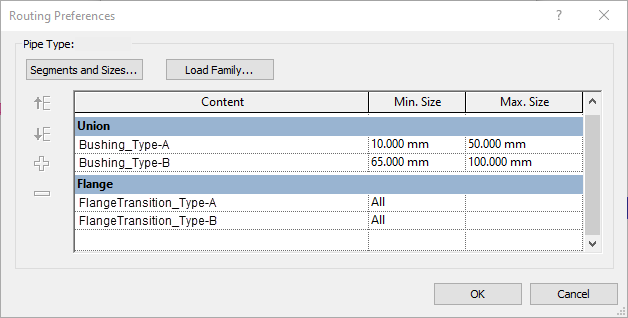
The Routing presets dialog opens.
-
For all elements with Flange content, set the Dimension min. to None.

Now you have configured the necessary Routing presets.