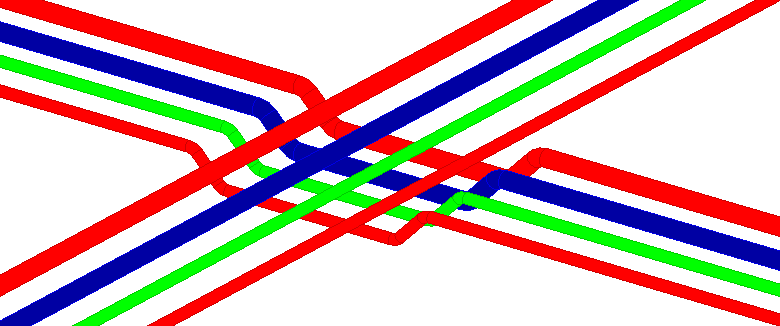
-
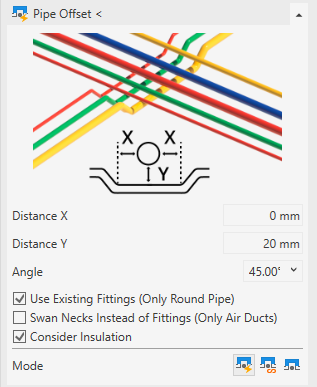
Open the Pipe offset section.
-
Enter the minimum horizontal and vertical distances (distance x, y).
-
Select the bend angle to be used.
-
Activate the check boxes of the desired pipe offset options.
-
Activate the mode Offset around elements.
-
Click Pipe offset <.
-
Select the pipes that are to execute the pipe offset and confirm with Enter.
-
Select the Elements to be bypassed and confirm with Enter.
Different variants for the situation are shown:

-
Select the required variant using
 and confirm with Apply.
The collision is resolved.