-
Select the topic to which you want to assign the issue.
-
Click
 and then click New Issue.
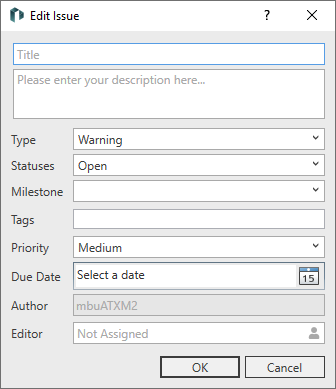
The Edit Issue dialog opens.
-
Enter the title and description of the issue.
-
Configure the issue as required and click OK.
The issue is assigned to the selected topic and is displayed in the Issues section.