-
Open the Duct Dimensions section.
-
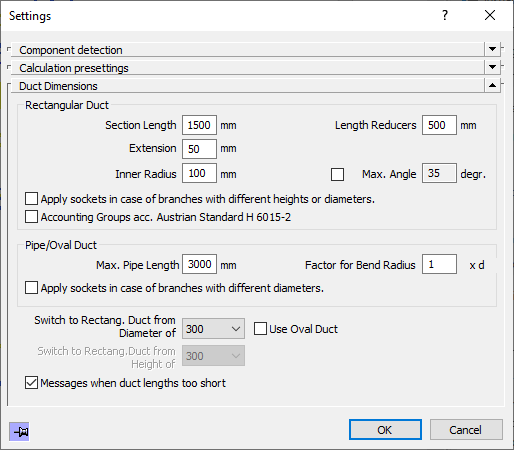
Activate the Use oval duct option if oval ducts are also to be used in the dimensioning.
Use the drop-down lists to set the corresponding threshold values at which the dimensioning should switch to oval or rectangular ducts.
The limit values are set and are taken into account in the calculation. If the Adjust nominal diameters command is used in the calculation dialog, the pipes are generated on the bases of default values.