You are here:
Applies to: Potable water, Waste water (SP30.13330.2016).
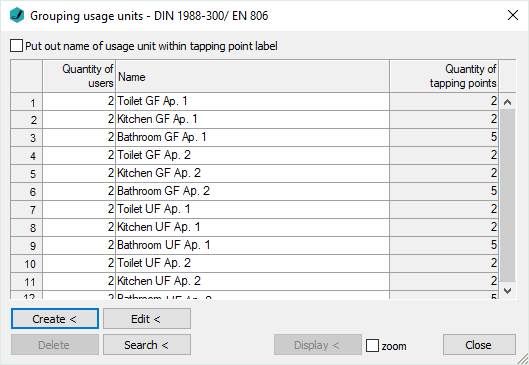
Put out name of usage unit within tapping point label
Enabled: The name of the usage unit is included when labeling the tapping point.
Number of users
The number of users is preset with 2. It can be changed in agreement with the building owner.
Name
Enter a name for the usage unit. If you do not enter a name, the name of the dialog box Assign Position ... will be used in the print out, in case you have named the pipe sections by means of the function Assign Position.
Number of tapping points
The amount of tapping points is displayed here. To change the number of tapping points, reassign the tapping point of the usage unit using the function Edit <.
Create <
Creates a new usage unit with the tapping points selected from the model and enters the new usage unit into the table.
Edit <
Reassign the tapping points for an existing usage unit.
Delete
Deletes the usage unit from the table and the assignment of tapping points from the model.
Search <
After selecting a tapping point in the model, the corresponding usage unit is highlighted in the table.
Display <
After selecting a usage unit in the table, the corresponding tapping points will be highlighted in the model.
zoom
Enabled: When using the function Display <, the tapping points in the model will be highlighted and zoomed.