In this dialog, you can add additional items from the relevant manufacturer's product catalog to the connection set selected in the Radiator Connections dialog.
You are here:
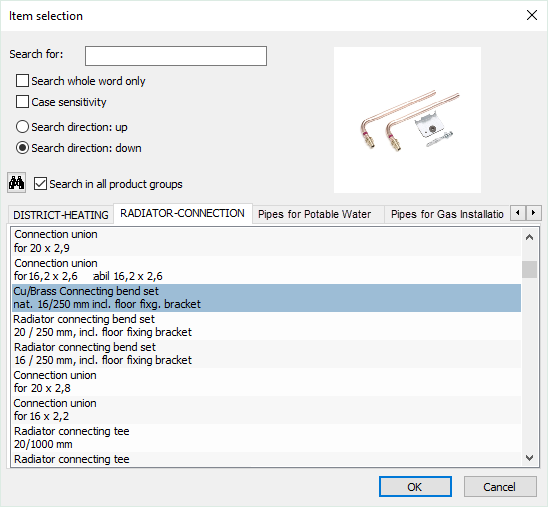
The materials of the selected manufacturer are offered in different product groups (tabs).
|
Element |
Meaning |
|---|---|
| Search: |
Enter a search term. |
 |
Launches the product search and displays the next result for the search term entered. |
| Search in all Product Groups |
Enabled: The search will be performed across all tabs. Disabled: The search is performed only on the currently selected tab. |
| Match whole words only |
Enabled: Enter the whole word for the search term. Terms which contain only a part of the search term, will not be found. Disabled: You can enter a part of the search term. |
| Case Sensitivity |
Enabled: The search term is case sensitive. |
| Search Direction: Up |
When searching, the entries above the marked item are checked. |
| Search Direction: Down |
When searching, the entries below the marked item are checked. |