You can use the Define pipe sections function to assign the same properties to several pipe sections at the same time.
You are here:
Applies to: Heating, Cooling.
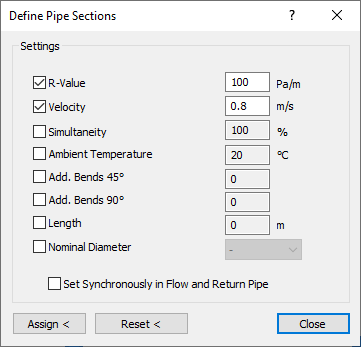
Activate the properties you would like to assign to one or more pipe sections or that you want to reset.
Set synchronously in supply and return water pipe
Enabled: The activated properties are changed in the selected pipe section and, automatically, in the corresponding supply water or return water pipe section.
Disabled: The activated properties are only changed in the selected pipe section.
Assign <
After clicking this button select a pipe section, which is to receive the activated properties.
Reset <
After clicking this button select a pipe section, for which the activated properties are to be reset.